Staying connected: eSIM first, VPN as backup
Google, WhatsApp, Instagram and YouTube are blocked in China. A travel eSIM on your phone is the sure bet and needs no VPN. Add a VPN for your laptop as backup, and set both up before you leave home.
Last verified 16 October 2026. Checked against: Our own testing and Roamless pricing as of this date.
Know what is blocked
Google, Gmail, Maps, WhatsApp, Instagram, Facebook, YouTube and most Western chat and news apps do not work on a normal China connection.
Details
China’s firewall blocks many services you use daily, including Google (Search, Gmail, Maps, Drive), WhatsApp, Instagram, Facebook, X and YouTube. Many AI tools are affected too.
Apple services and many airline, hotel and banking sites work normally. The blocked ones are the surprise, so check the apps you rely on before you fly.
Use a travel eSIM. It is the sure bet
A travel eSIM carries your data outside China, so blocked apps work on your phone with no VPN.
Details
Travel eSIMs route your data through servers outside China, so Google, WhatsApp and similar apps work on your phone without a VPN. In our experience this is far more reliable than relying on a VPN alone.
Your phone must support eSIM and be carrier-unlocked. Most recent iPhones and many Android phones do. A phone locked to your home carrier will not accept another network’s eSIM.
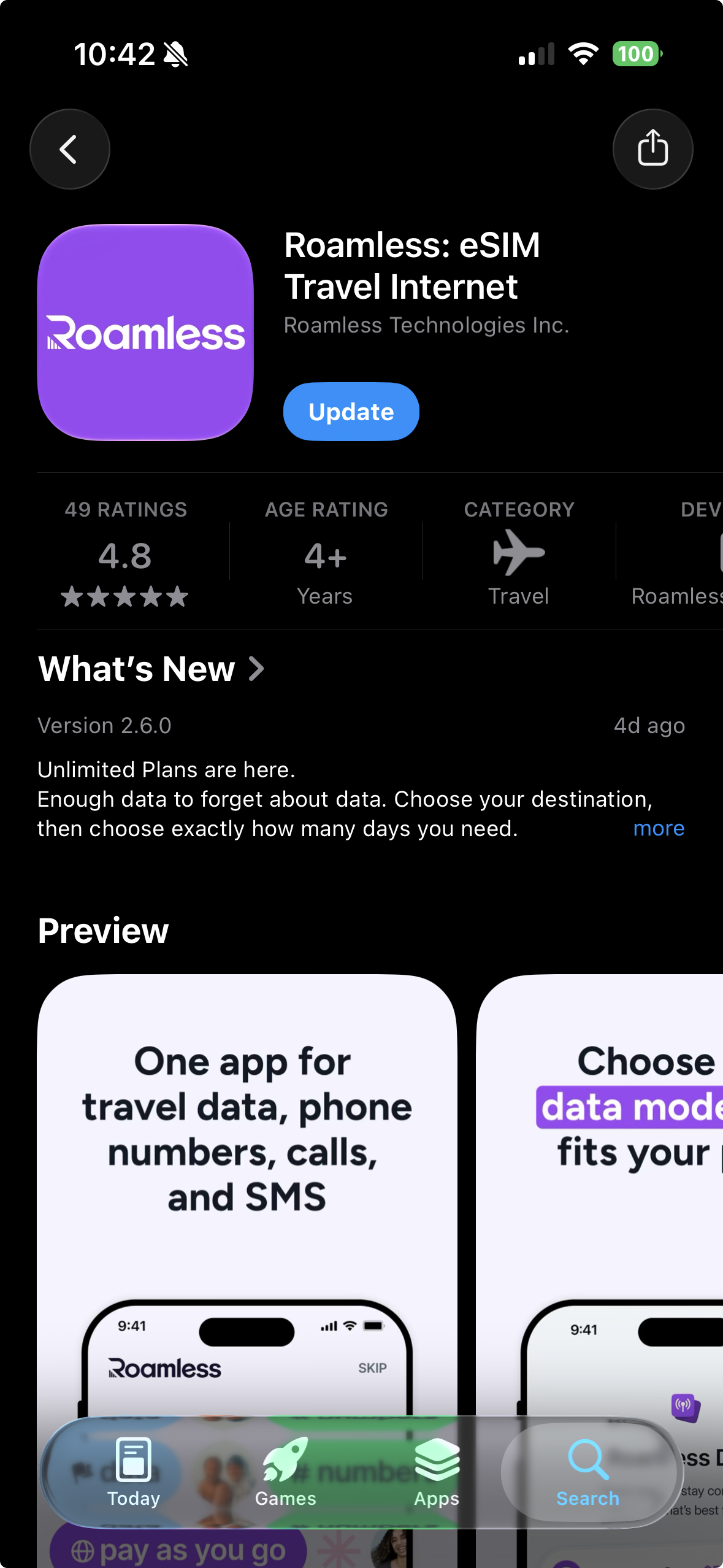
Our pick: Roamless
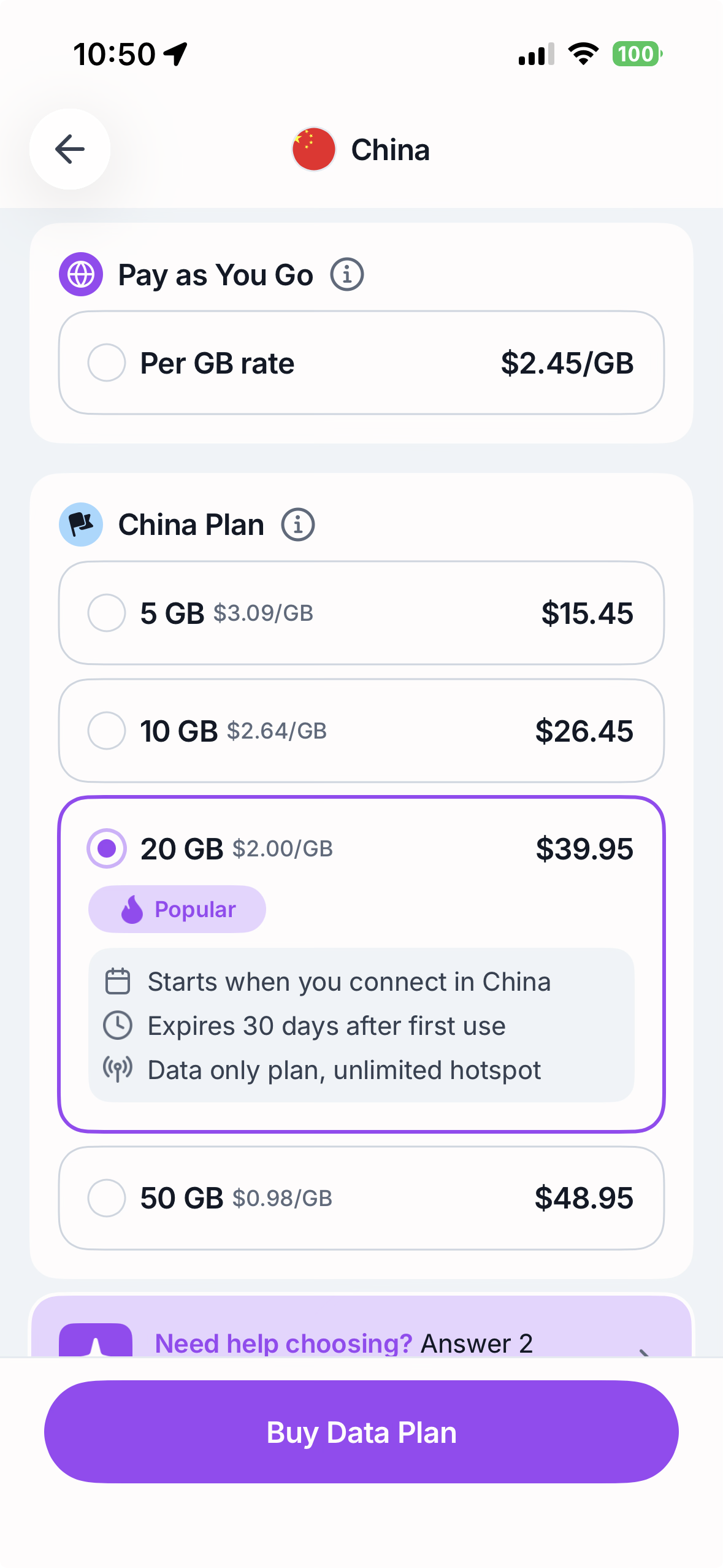
No minimum GB, no minimum days. Load credit and use it anywhere in the world. About $2.45 per GB in China.
Details
We use and recommend Roamless. There is no minimum amount of data and no set number of days. You load credit and spend it as you go, and it works around the world, so you are not locked into a plan that is too big or too small.
Data in China is about $2.45 per GB at the time of writing, so a little credit goes a long way. Rates can change, so check the app before you buy.
You can also get a phone number from Roamless for Australia, Canada, the UK and the USA. Everywhere else, including China, is data only.
Sign up with our code KEENSGMK and add $5 of credit, and you get $10 to spend. We get $5 in credit too when you use the code, at no cost to you.
Install it before you leave, on home wifi. You need internet to download the eSIM. Leave the eSIM line switched off until you land.
After landing, turn on the eSIM line, select it for mobile data, and turn on Data Roaming for that line.
Add a VPN for your laptop as backup
A VPN is hit or miss in China. Install one before you leave, and treat it as the backup.
Details
On a laptop, a VPN is the usual route, but it is hit or miss. Connections that work one day can fail the next. Treat it as a backup, not your main plan.
Our preferred VPN is Proton VPN (protonvpn.com), which is also what we use to keep AI tools working. Sign up and install while you are still on home internet, because VPN websites and app-store listings are blocked inside China.
Test it before the flight. Find the settings for switching server or protocol, so you know what to try if the connection drops. Different protocols can work when others fail.
Avoid free VPNs. They are unreliable in China and often unsafe.
Keep your home SIM for SMS
Keep your home SIM active for texts and verification codes.
Details
Alipay and WeChat send verification codes by SMS. A Roamless eSIM in China is data only, with no number to receive texts. Keep your home SIM active so you can still receive texts, and use the eSIM for data.
Quick reference
| Best way to stay connected | Travel eSIM on your phone. No VPN needed |
| Our eSIM pick | Roamless. No minimums, about $2.45/GB in China. Code KEENSGMK: add $5, get $10 |
| Phone number | Only for Australia, Canada, UK, USA. Data only elsewhere |
| When to set up | Before you leave home, on home wifi |
| Laptop | Proton VPN as backup. Install before you leave |
| VPN stops working | Switch server or protocol, or tether to your eSIM phone |
| No data after landing | Check the eSIM line is on and Data Roaming is enabled for it |
| Phone is carrier-locked | Unlock it first, or rely on a VPN |
Common questions
Do I need a VPN in China if I have an eSIM?
Not on your phone. A travel eSIM carries your data through servers outside China, so blocked apps work without a VPN. A VPN is still worth having as a backup for your laptop, though it is hit or miss in China.
Which apps are blocked in China?
Google (Search, Gmail, Maps, Drive), WhatsApp, Instagram, Facebook, X and YouTube, along with most Western chat and news apps and many AI tools. Apple services and many airline, hotel and banking sites work normally.
When should I set up my eSIM?
Before you leave home, on home wifi. You need internet to download it, and once you are in China you may not be able to reach provider sites. Leave the eSIM line switched off until you land.
Related guides
- NextBefore you fly: your China checklistSix quick checks before you land in China, in order. Tick them off as you go: texts, payments, eSIM, power banks, the border and the train.
- NextCrossing from Hong Kong to Shenzhen with a Foreign PassportFour land crossings, one arrival card and a foreigners' lane. How to cross from Hong Kong into Shenzhen, and which crossing suits your trip.
- NextOrdering in a RestaurantMost restaurants in mainland China use QR ordering: scan a code at the table, order and pay from WeChat. This guide covers what the built-in translation gets right, what it breaks, and how to handle both.
Get the Dao companion when it launches in Shenzhen
Send this guide to your travel partner