Setting Up the Metro QR Code
Chinese metro systems run on QR codes, not tickets or cards. Activate a transit QR inside WeChat, then hold your phone to the gantry scanner to enter and exit — fares charge automatically.
Last verified 16 October 2026. Checked against: Our own testing. Alcohol rule from owner experience, 16 October 2026.
Find the transit icon in All Services
Me → Services → All Services → 出行跨城 (chū xíng kuà chéng) → 公交地铁 (gōng jiāo dì tiě, green icon).
Details
In WeChat, tap Me → Services → All Services (全部服务). Under the 出行跨城 (Travel / intercity) section, find 公交地铁 (Bus & Metro), the green icon. Tap it.
This is a non-obvious starting point. The transit function is a WeChat mini program called 乘车码, built by Tencent Maps, not a native WeChat Pay feature, which is why it lives under All Services rather than in the payment menu.
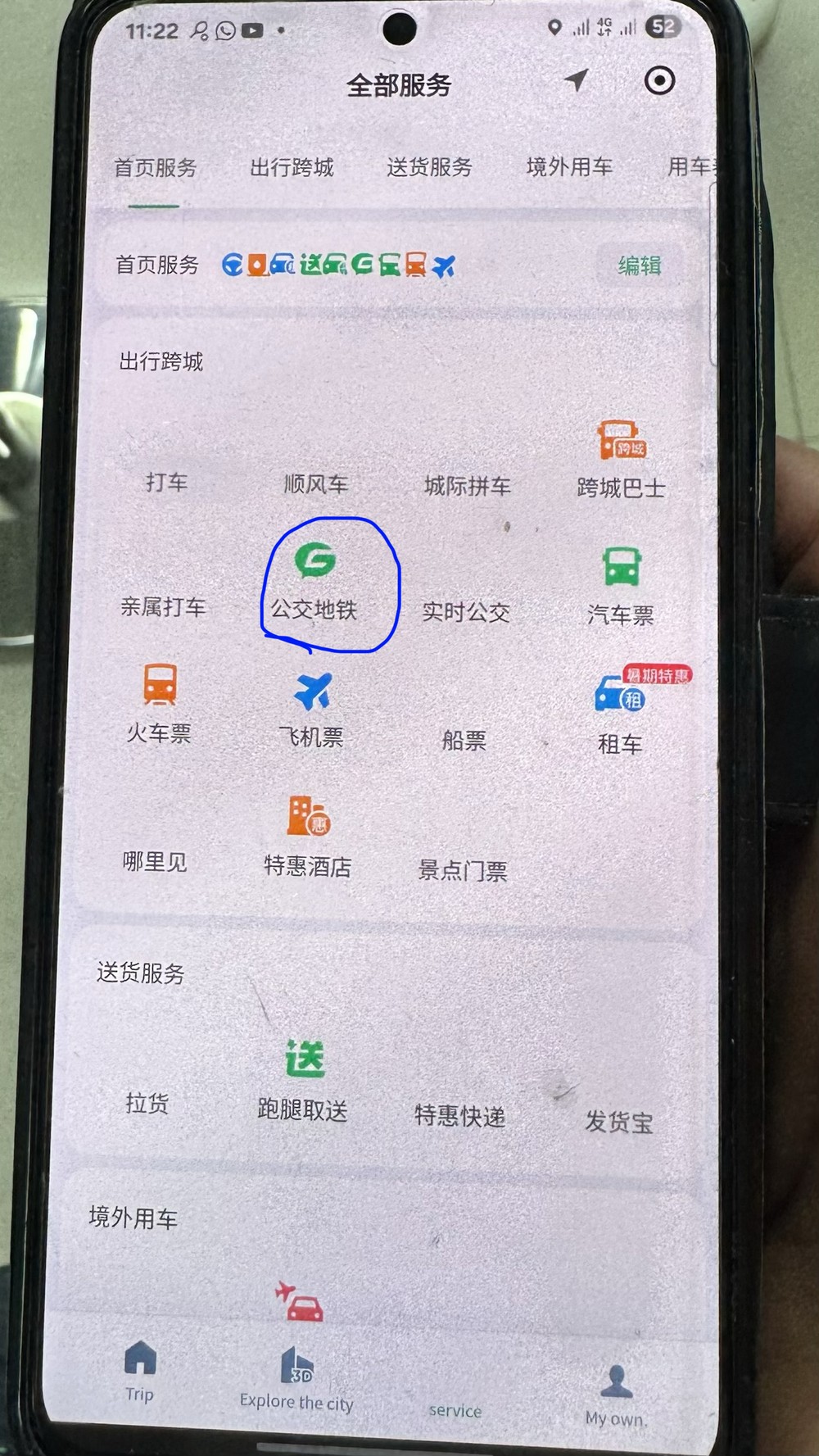
Open the transit mini app
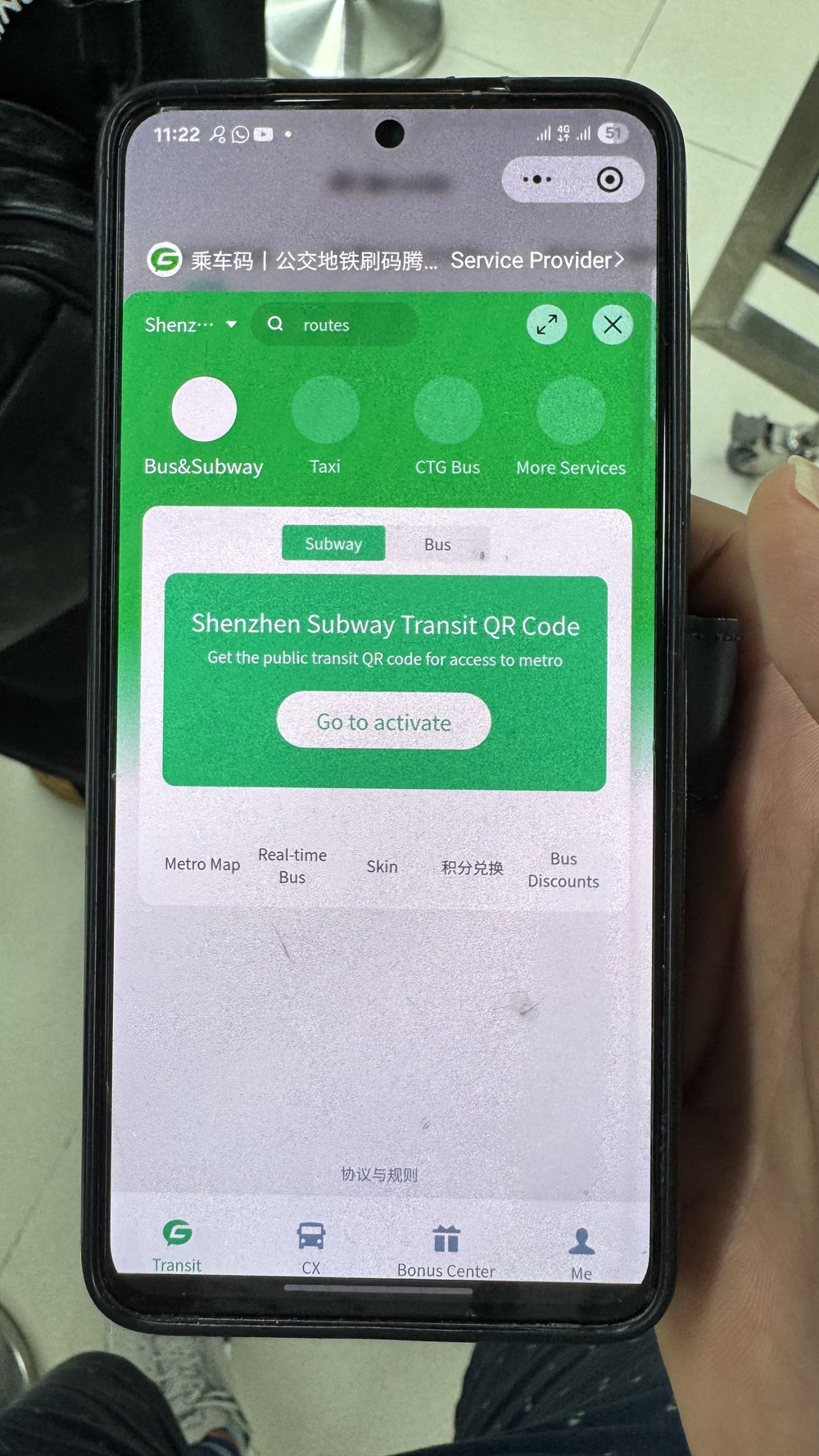
Confirm your city, then tap Go to activate under Subway.
Details
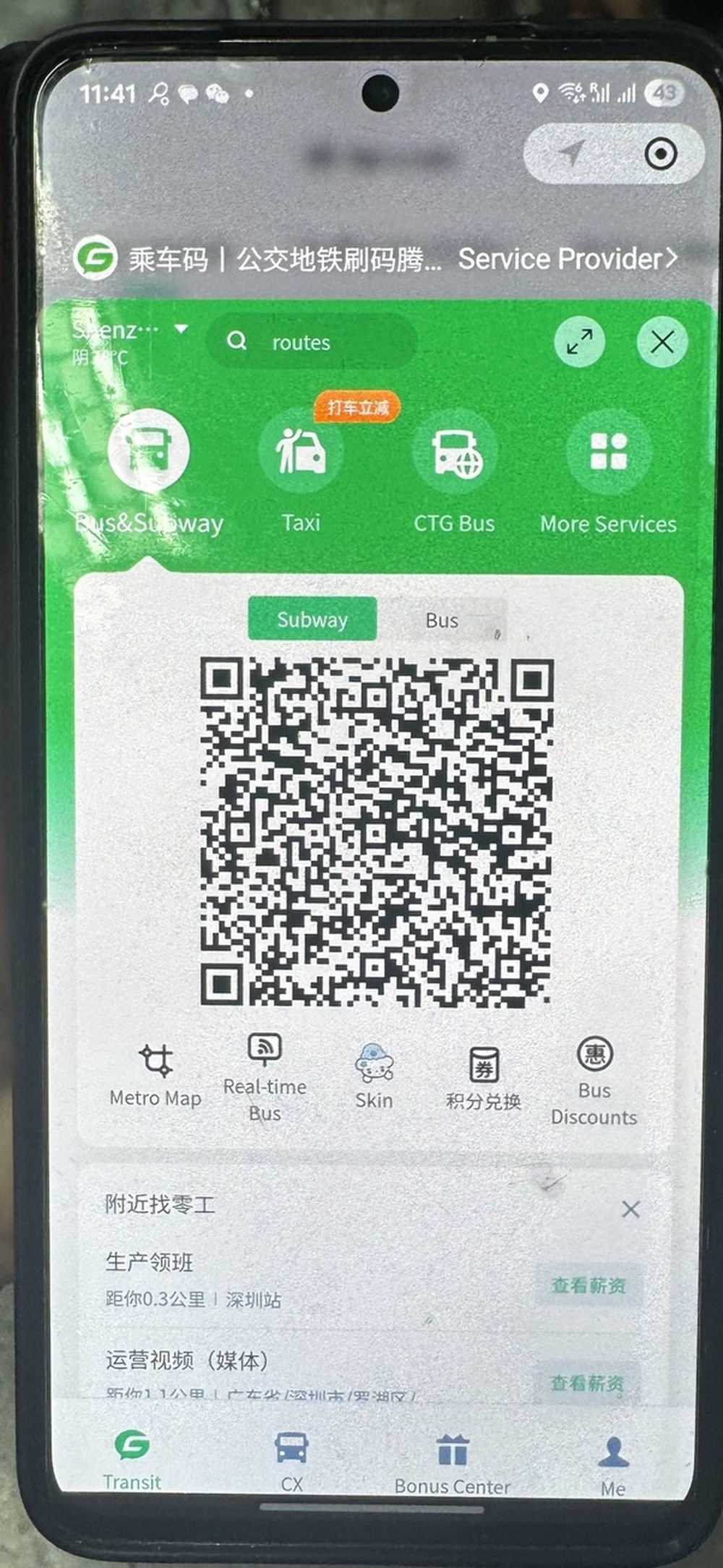
The 乘车码 mini program opens. Your city auto-detects at the top of the screen, confirm it shows the city you're actually in. You'll see Bus&Subway, Taxi, CTG Bus, and More Services as icon options, with Bus&Subway already selected.
Under the Subway tab, you'll see "Shenzhen Subway Transit QR Code, get the public transit QR code for access to metro." Tap Go to activate.
Agree and activate
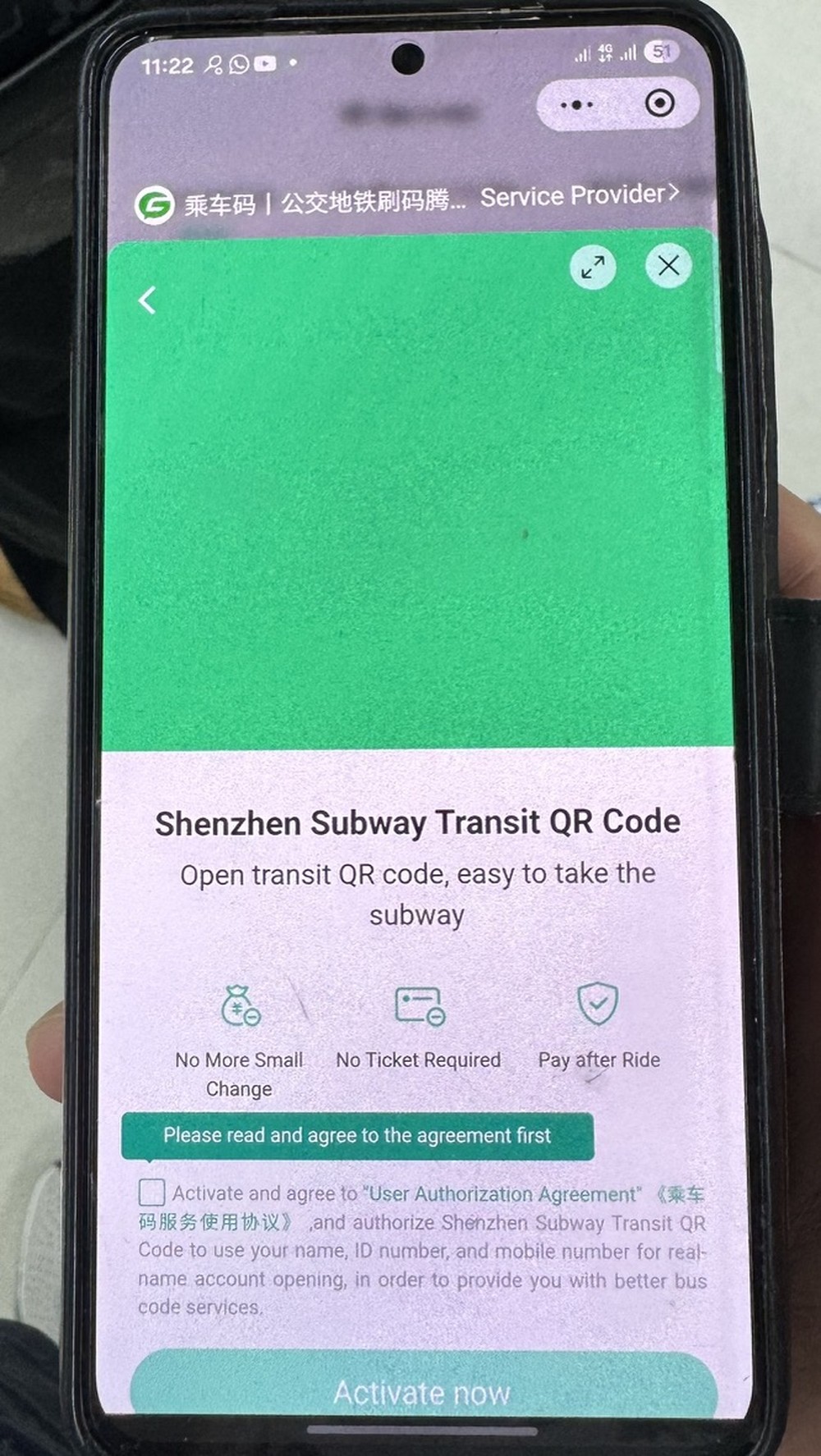
Tick the agreement, tap Activate now.
Details
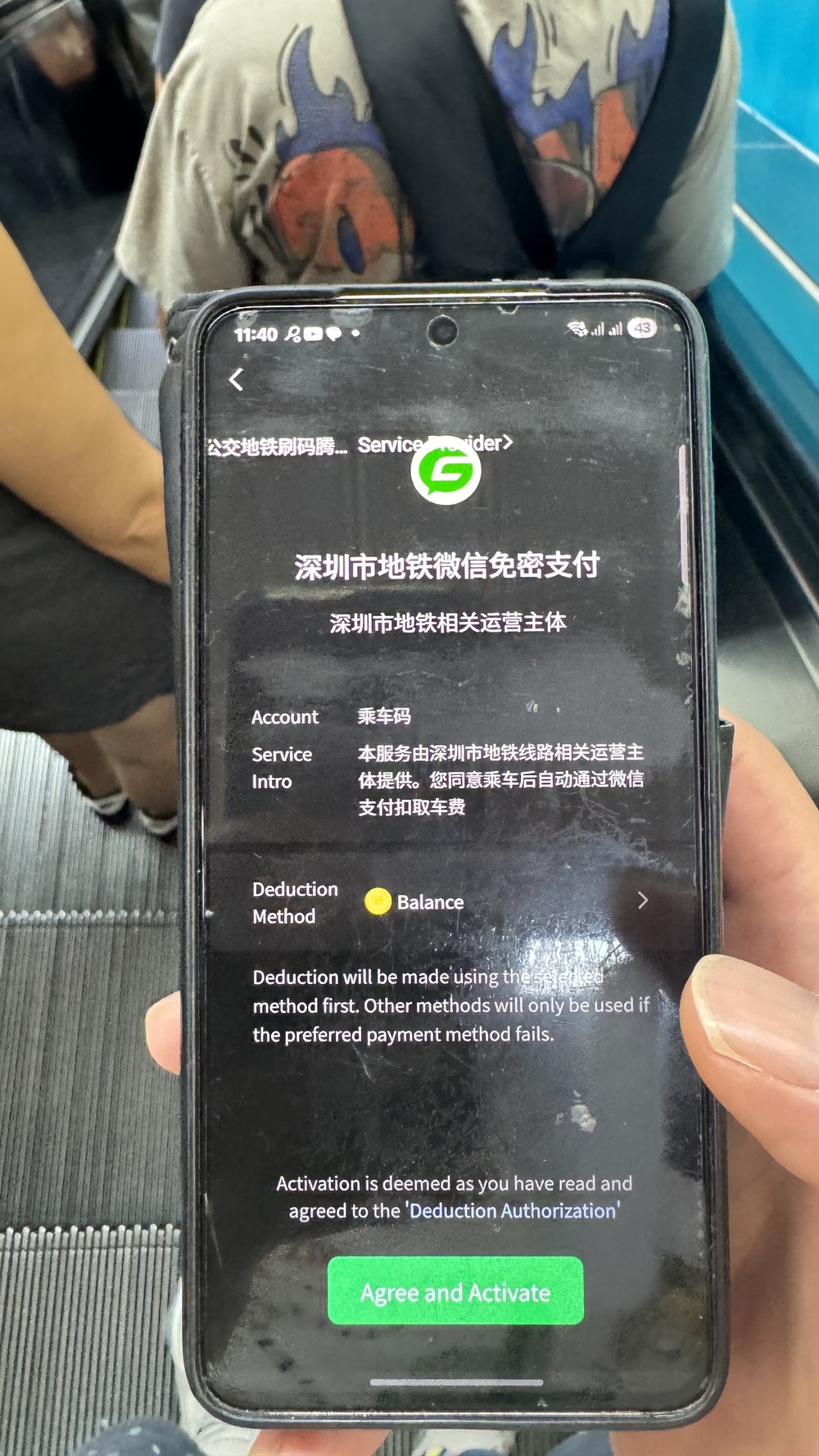
This screen names the actual service: 深圳市地铁微信免密支付 (Shenzhen Metro WeChat Passwordless Payment), operated by a Shenzhen Metro-affiliated operating entity. Tick the checkbox to agree to the User Authorization Agreement, then tap Activate now.
Wait for loading
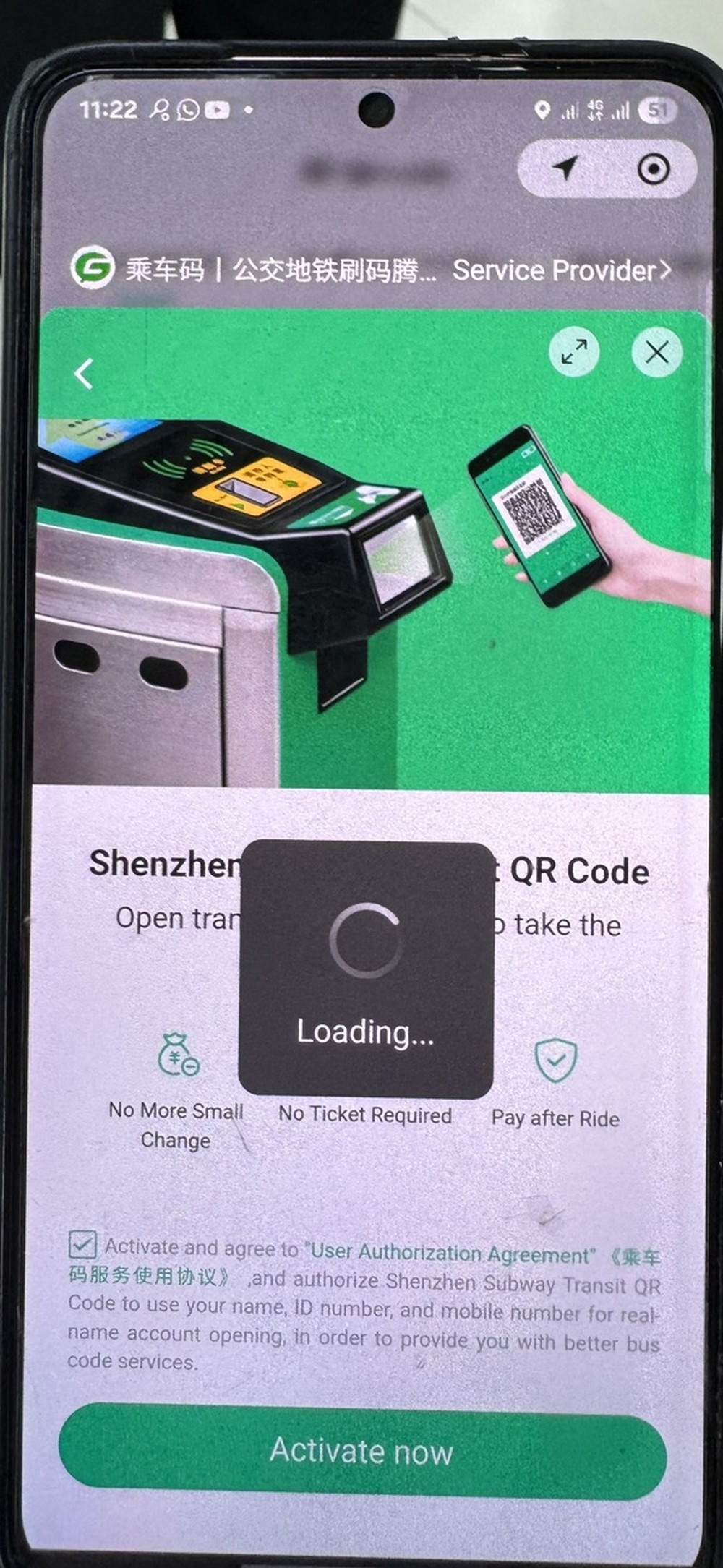
Wait a few seconds — do not tap Back.
Details
A loading spinner appears briefly while the system processes. Wait a few seconds.
Allow phone number access
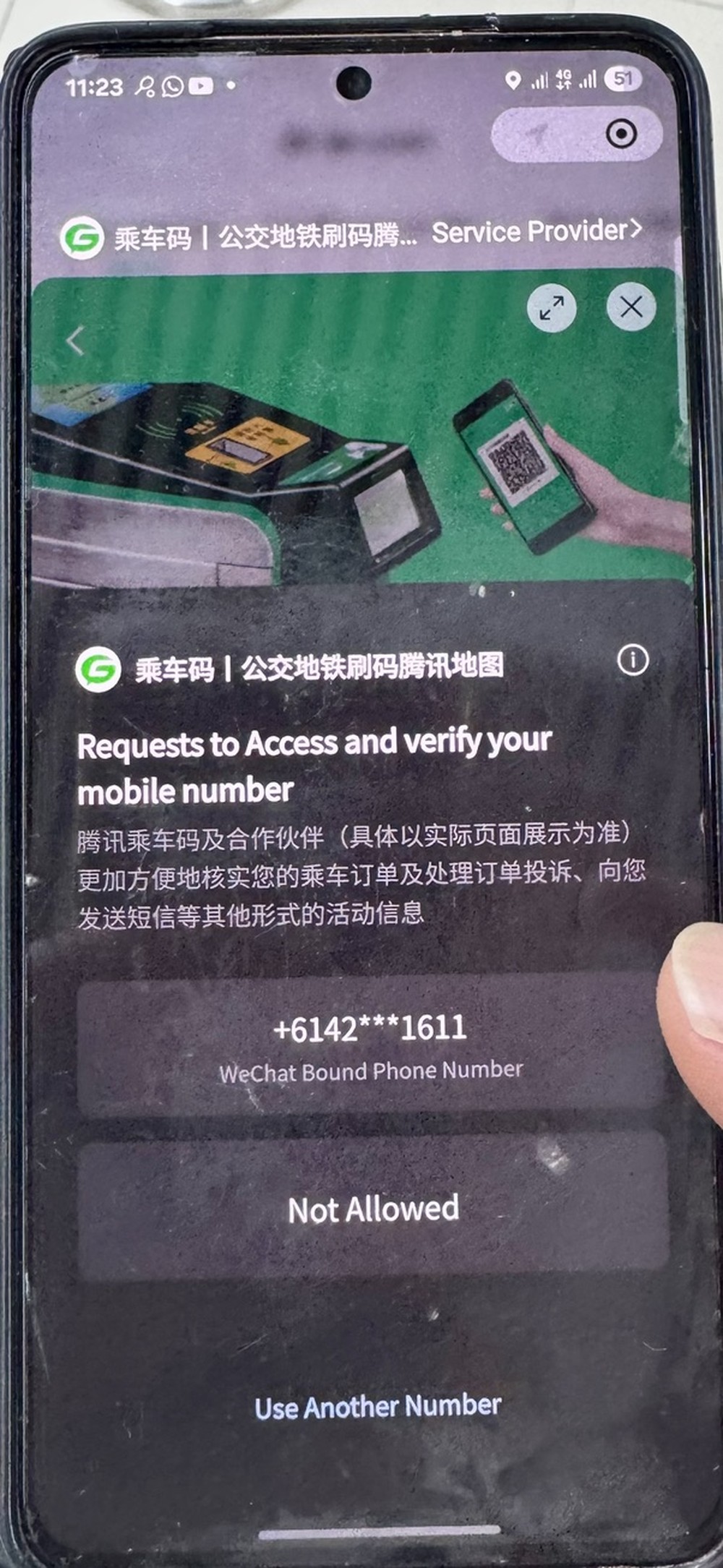
Tap your displayed phone number — not "Not Allowed" or "Use Another Number".
Details
The mini app requests to access and verify your WeChat-bound phone number. Your number is displayed at the top — international numbers work fine here.
Tap your displayed phone number to allow it. Below it are two other options, Not Allowed and Use Another Number, which stop or redirect the flow. You want neither of those.
Confirm your city
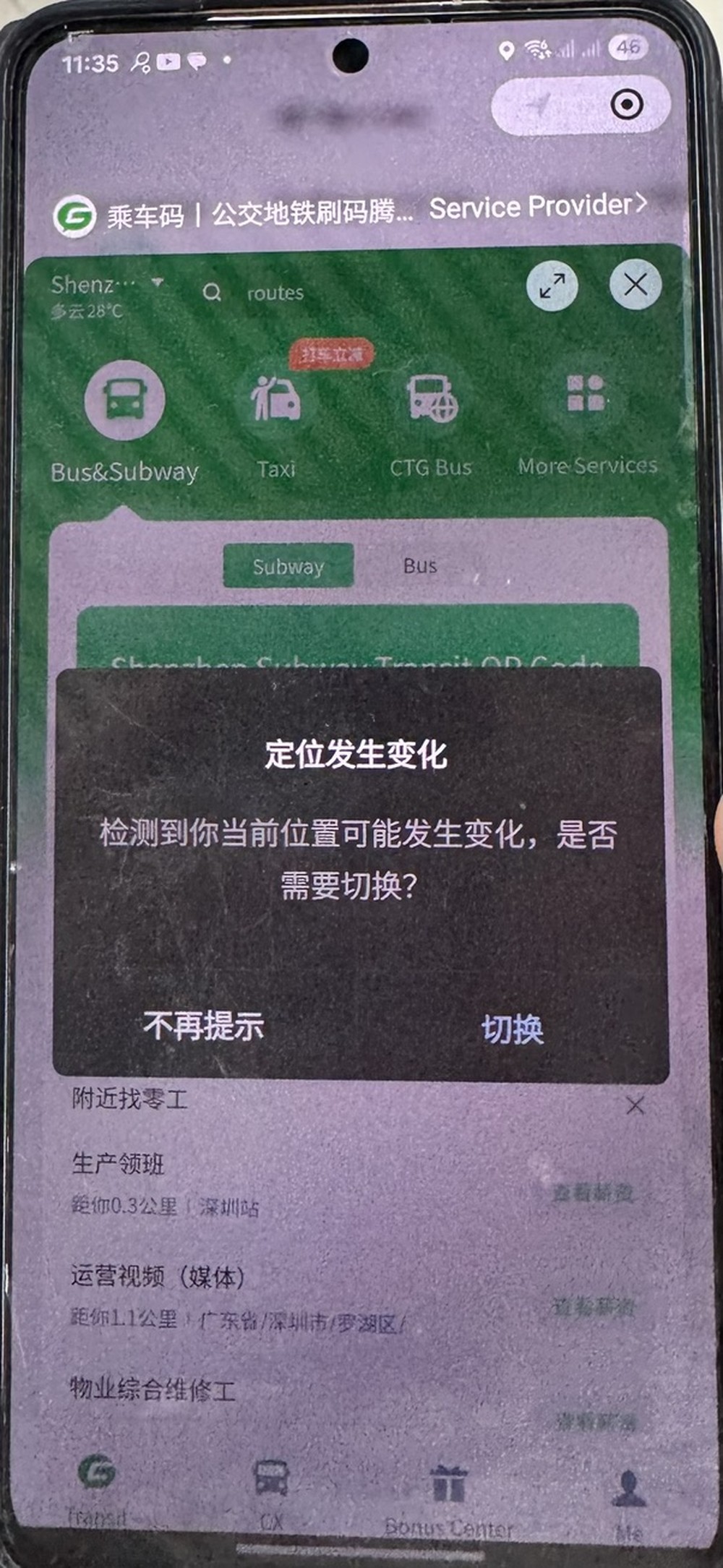
Tap 切换 (qiē huàn, "Switch") to confirm your actual city.
Details
A popup reads 定位发生变化 (your location has changed), asking whether you want to switch. Tap 切换 (Switch) to confirm the city you're actually in, rather than 不再提示 (don't show again).
Change the document type
Do not use 身份证 (shēn fèn zhèng) — tap the dropdown to change it.
Details
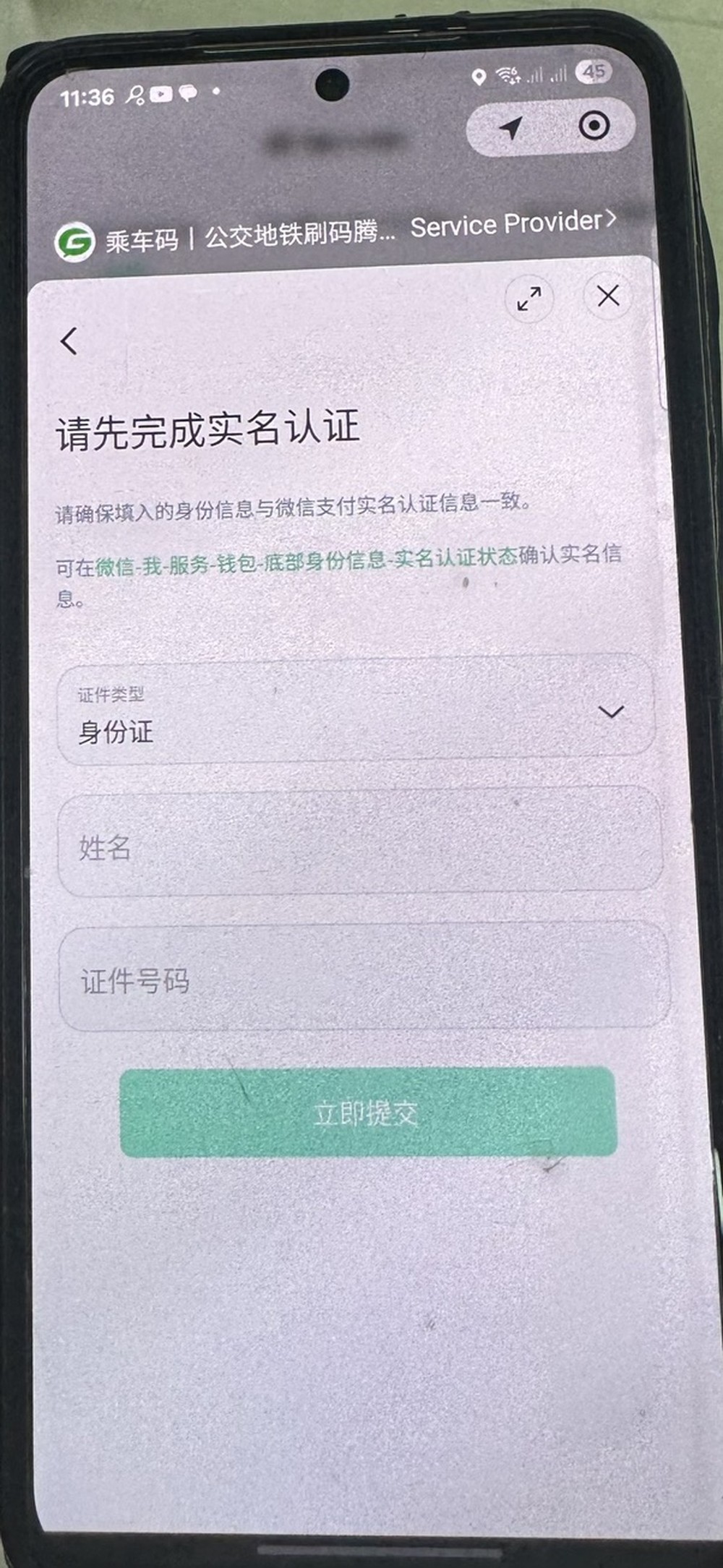
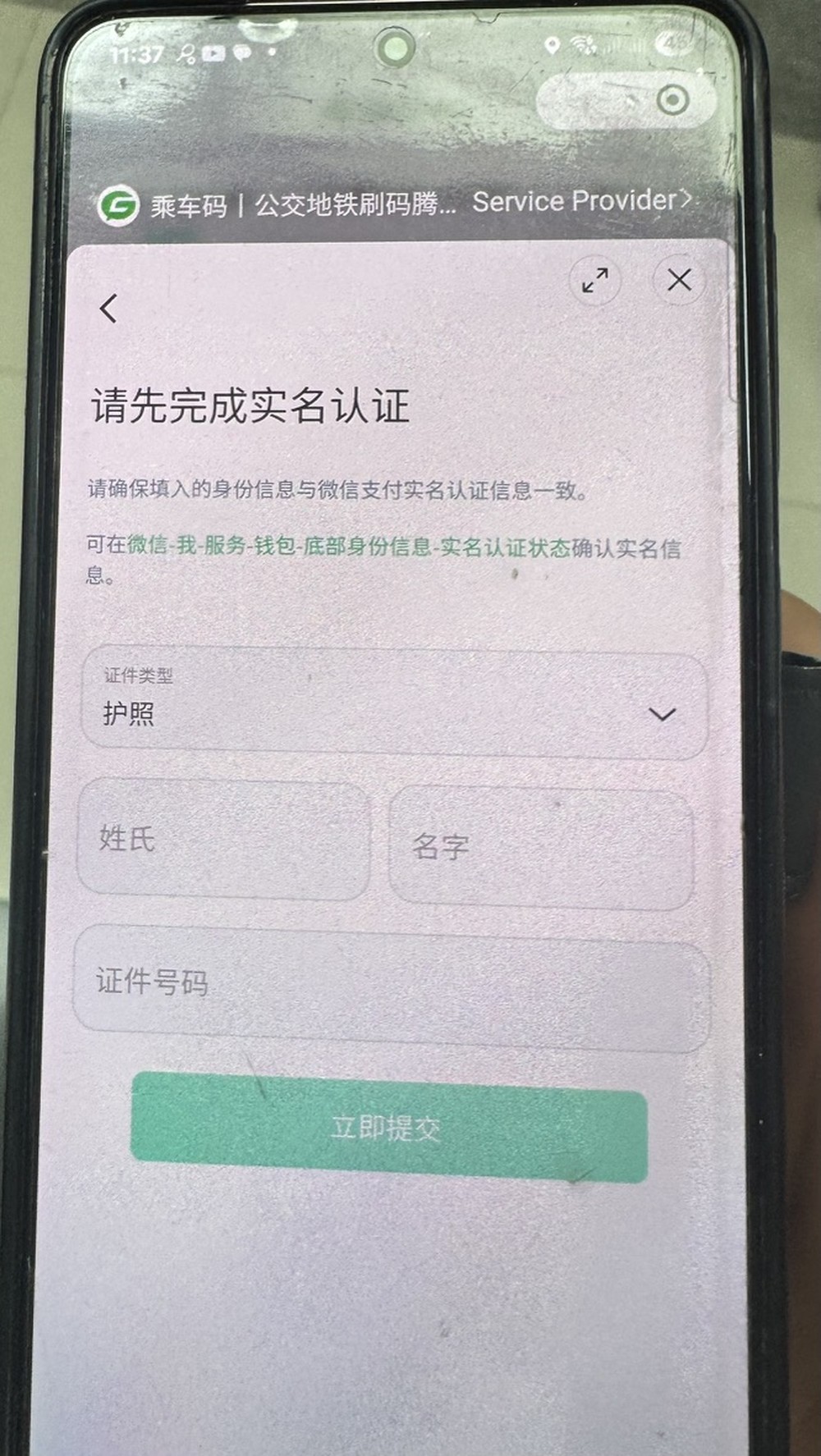
The screen reads 请先完成实名认证 (complete real-name verification first). The document type field (证件类型) defaults to 身份证, Chinese national ID card, with a single 姓名 (name) field beneath it.
Do not use 身份证. Tap the dropdown to change it — this mode's single name field isn't built for a passport's surname/given-name split, and 身份证 won't accept a passport number anyway.
Select 护照 (Passport)
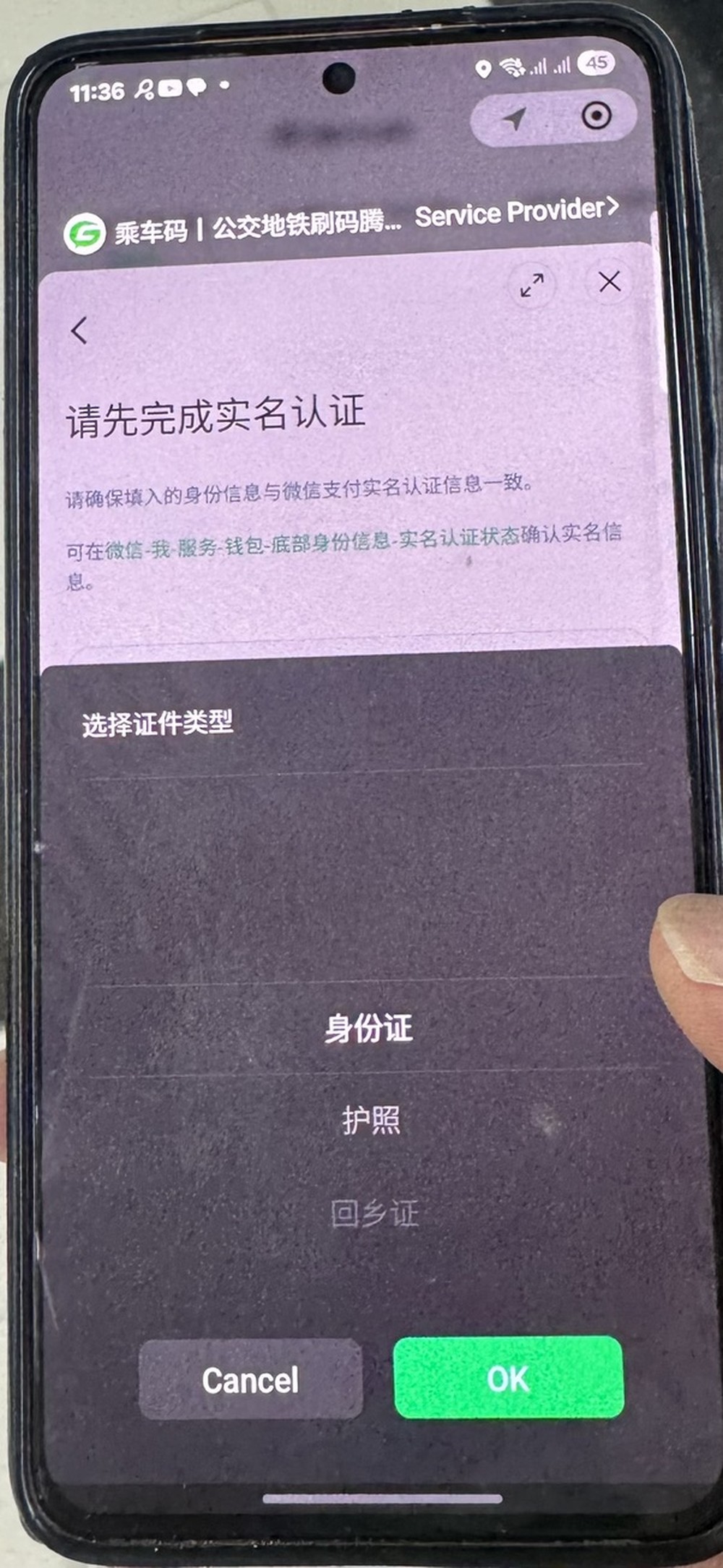
护照 (hù zhào, "Passport"), never 身份证 (shēn fèn zhèng) or 回乡证 (huí xiāng zhèng) — even for HK PR holders.
Details
A selection sheet appears with three options: 身份证 (Chinese ID card), 护照 (Passport — select this), and 回乡证 (HK/Macau return permit). Select 护照 and tap OK.
Enter your passport details
Surname, given name, document number — exactly as printed.
Details
Selecting Passport changes the form to two name fields plus a document number: Surname (姓氏), Given name (名字), Document number (证件号码) — enter each exactly as printed in your passport. Tap 立即提交 (Submit now).
Change the payment method — do not confirm on Balance
Deduction Method defaults to Balance — switch it to your card before activating.
Details
A deduction authorization screen appears, same service as Step 3. It shows the account (乘车码), a service intro explaining fares auto-deduct via WeChat Pay after each ride, and a Deduction Method defaulting to Balance.
This is the default you need to change. Balance is your WeChat Pay CNY wallet, which foreign users typically cannot top up easily. If you confirm here, your QR activates but payments will fail on your next ride. Tap the arrow next to Deduction Method to open your card list.
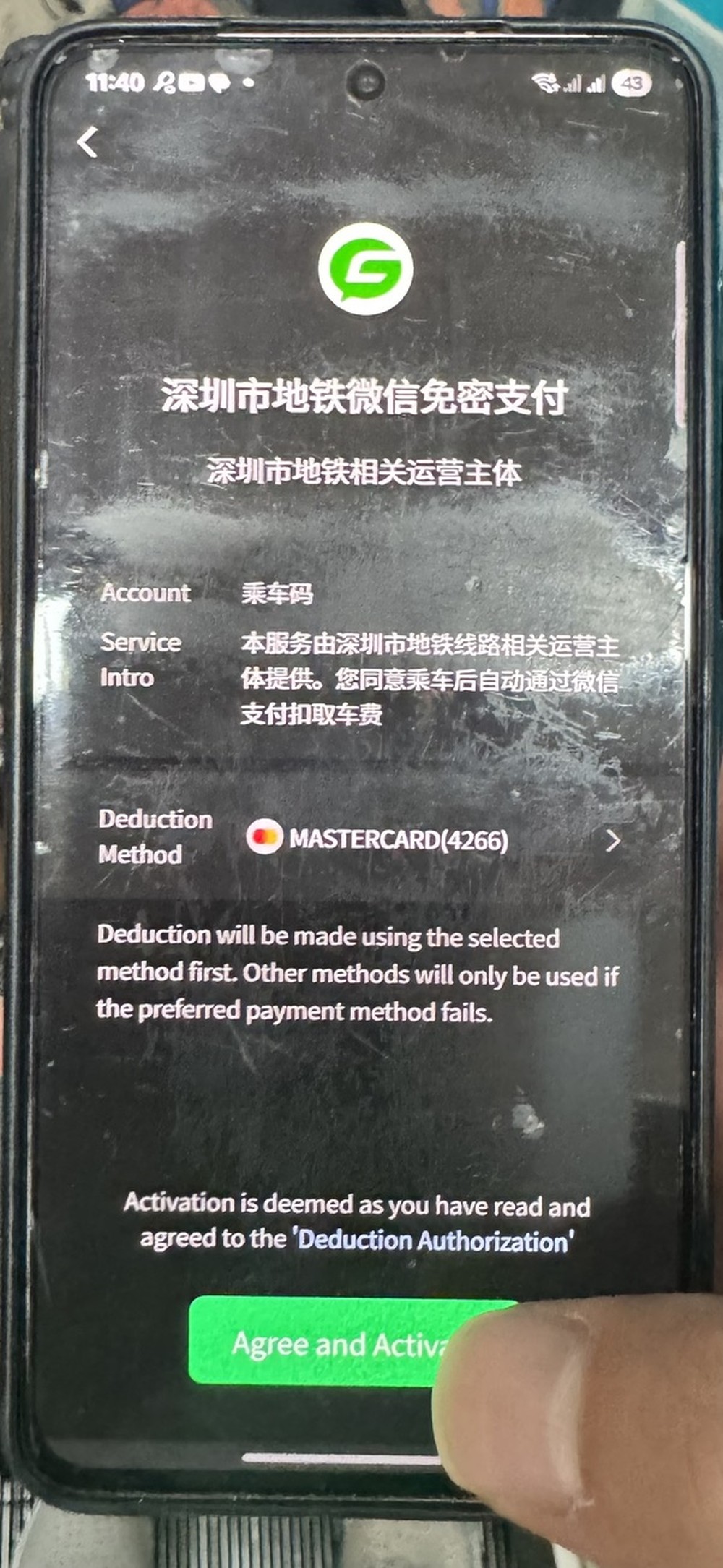
After selecting a linked card, the same screen shows your card in place of Balance. Confirm it reads your card, not Balance, then tap Agree and Activate.
Your QR code is ready
Hold the QR to the gantry scanner — nothing to top up, nothing to pay manually.
Details
You're back at the transit mini app home screen, now showing your live QR code under the Subway tab. Hold this QR code to the scanner at the metro gantry to enter, and again to exit. Fares are charged automatically to your card after each trip.
Alcohol and liquids at security
Metro security can confiscate alcohol at 20% ABV or above, even unopened. Keep it in checked luggage or leave it behind.
Details
Metro stations have a bag scan. Alcohol at 20% ABV or above is confiscated, even if it is unopened, and staff may ask you to drink or pour out your liquids on the spot.
Save to Favourites, do this now
Not optional — without it, finding your QR again takes 5+ taps.
Details
From the mini app home screen, tap the ··· menu in the top right corner. A share sheet appears. Tap Favourites (the cube icon). This puts the mini app one tap from your WeChat home screen.
Quick reference
| Which app for transit | WeChat, not Alipay |
| Where the transit function lives | Me → Services → All Services → 出行跨城 → 公交地铁 |
| Which ID type | 护照 (Passport), never 身份证 or 回乡证 |
| Payment method | Your linked card, never Balance — confirmed defaults to Balance |
| After setup | Save to Favourites immediately |
| Arriving in a new city | Re-activate for that city, passport details carry over |
| At the station | Gantry, not ticket machine. Expect a bag scan |
| Tapped "Not Allowed" on the phone number step | Close the mini app and restart from Step 1 |
| No card appears when changing Deduction Method | Add a card: WeChat → Me → Pay → Cards, then restart from Step 1 |
| QR code works in one city, not another | Expected — switch city in the mini app and re-activate |
| Payment fails after setup | Deduction Method is probably still set to Balance — change it to your card |
| Cannot find the QR code quickly | You skipped the Favourites step — save the mini app to Favourites |
| Carrying alcohol | Checked luggage or leave it behind. Confiscated at security at 20% ABV or above |
Useful phrases
护照
Passport
Common questions
How do I ride the metro in China as a tourist?
Activate a transit QR code inside WeChat, then hold your phone to the gantry scanner to enter and again to exit. Fares are charged to your linked card after each trip.
Do I need a ticket or card?
No. Chinese metro systems run on QR codes and the QR replaces paper tickets. Use the gantry, not the ticket machine.
How do I activate the metro QR code in WeChat?
In WeChat go to Me, Services, All Services, then 公交地铁 (Bus & Metro). Activate the subway QR, choose 护照 (Passport) as your document type, and switch the payment method from Balance to your linked card before you confirm.
Related guides
- NextStaying connected: eSIM first, VPN as backupGoogle, WhatsApp, Instagram and YouTube are blocked in China. A travel eSIM on your phone is the sure bet and needs no VPN. Add a VPN for your laptop as backup, and set both up before you leave home.
- NextBefore you fly: your China checklistSix quick checks before you land in China, in order. Tick them off as you go: texts, payments, eSIM, power banks, the border and the train.
- NextCrossing from Hong Kong to Shenzhen with a Foreign PassportFour land crossings, one arrival card and a foreigners' lane. How to cross from Hong Kong into Shenzhen, and which crossing suits your trip.
Get the Dao companion when it launches in Shenzhen
Send this guide to your travel partner
Apps, fees and station rules change. These guides reflect our testing on the date shown.
← Back to Guides