Setting Up Alipay and WeChat Pay
Alipay and WeChat Pay are how you pay for almost everything in mainland China. Neither needs a Chinese bank account or SIM, but both need setup before you fly — do this now, not mid-trip.
Last verified 16 October 2026. Checked against: Our own testing. Fees vary by card and change, so check your own history.
Alipay
Download the correct Alipay app
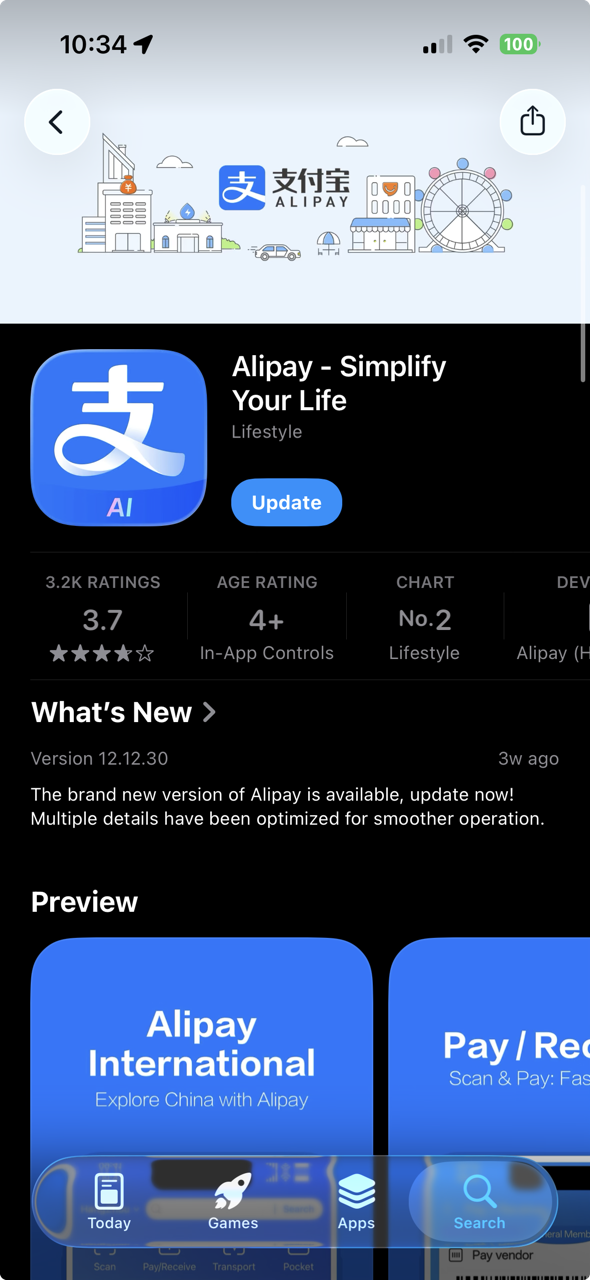
Blue icon — Alipay, not Alipay HK.
Details
Search "Alipay" in the App Store. Download Alipay, not Alipay HK — Alipay HK is built for Hong Kong residents and does not work the same way for most foreign travelers, even if you live in Hong Kong. The one you want has the blue icon labeled "Alipay - Simplify Your Life."
Register with your phone number
Your real number, verified by SMS.
Details
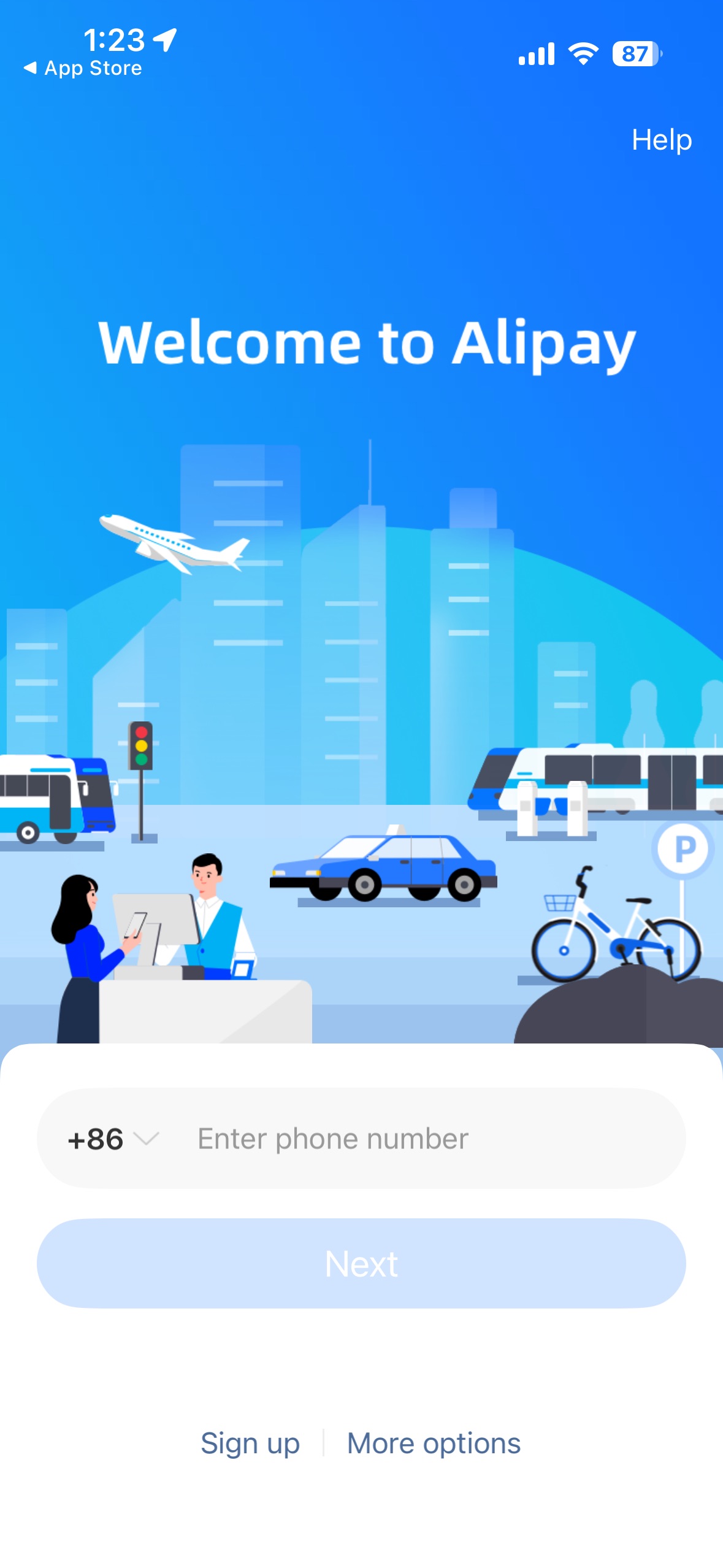
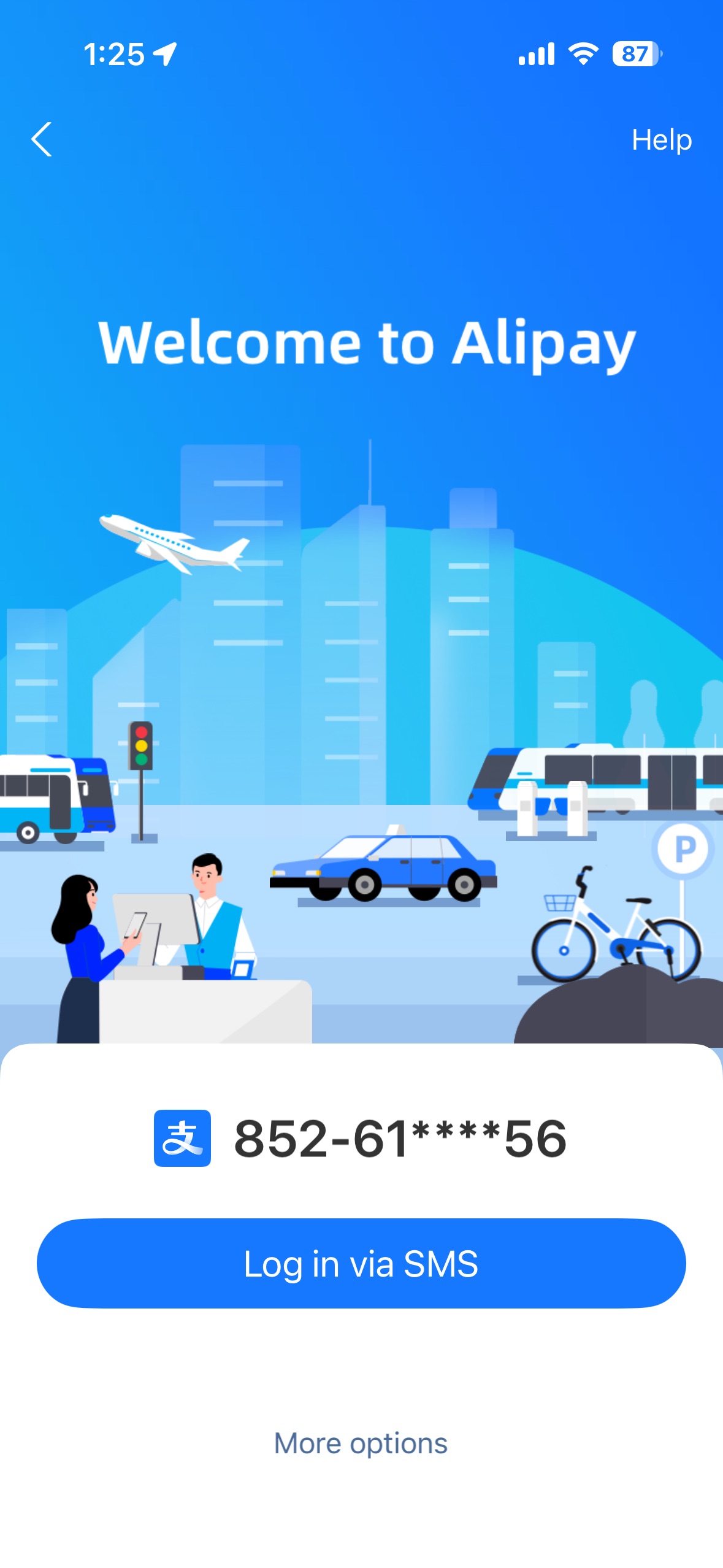
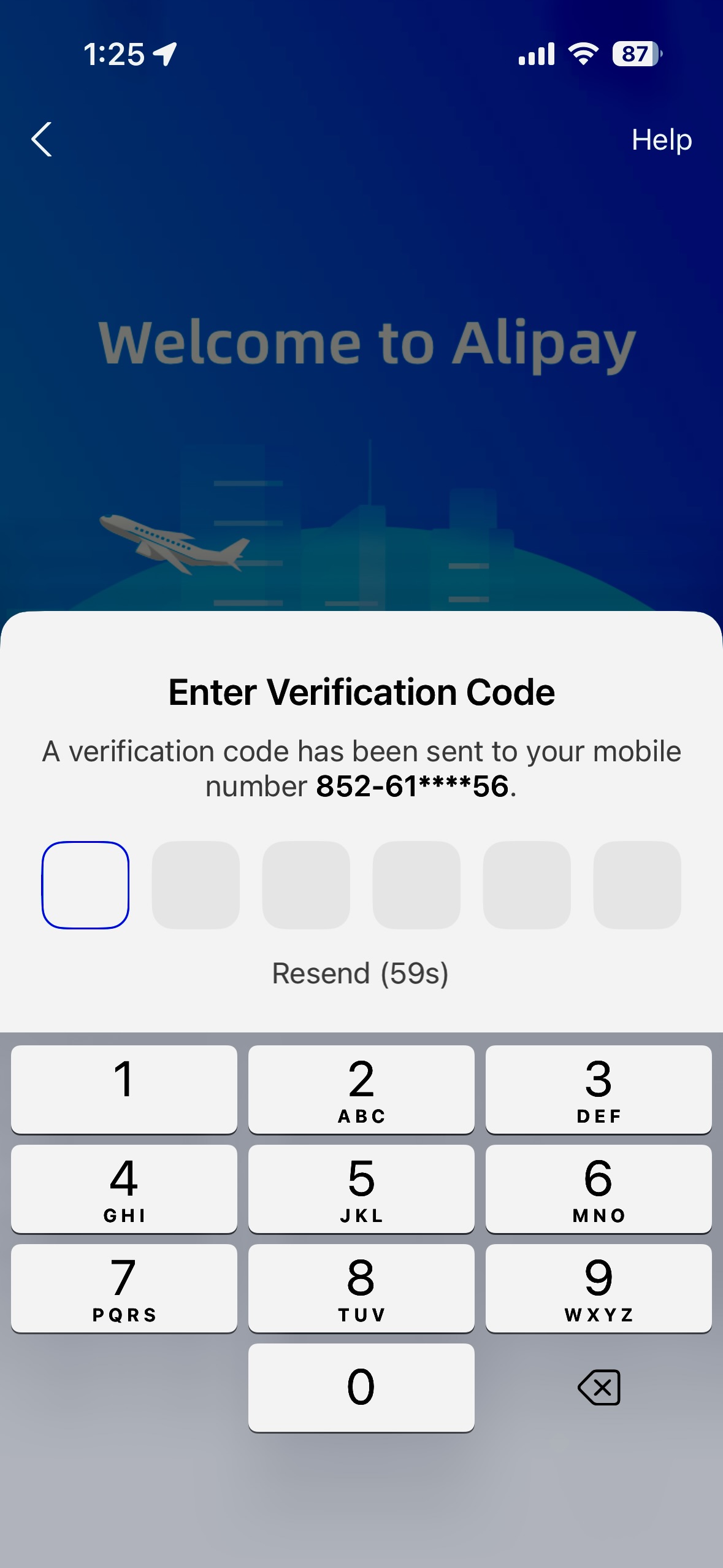
Open the app and enter your phone number with the correct country code. Use your real, working number — both Alipay and WeChat Pay are bound to this number and will send verification codes to it throughout setup and occasionally afterward. Tap through to log in via SMS and enter the code sent to your phone.
Find Account settings
Account tab → chevron next to your name.
Details
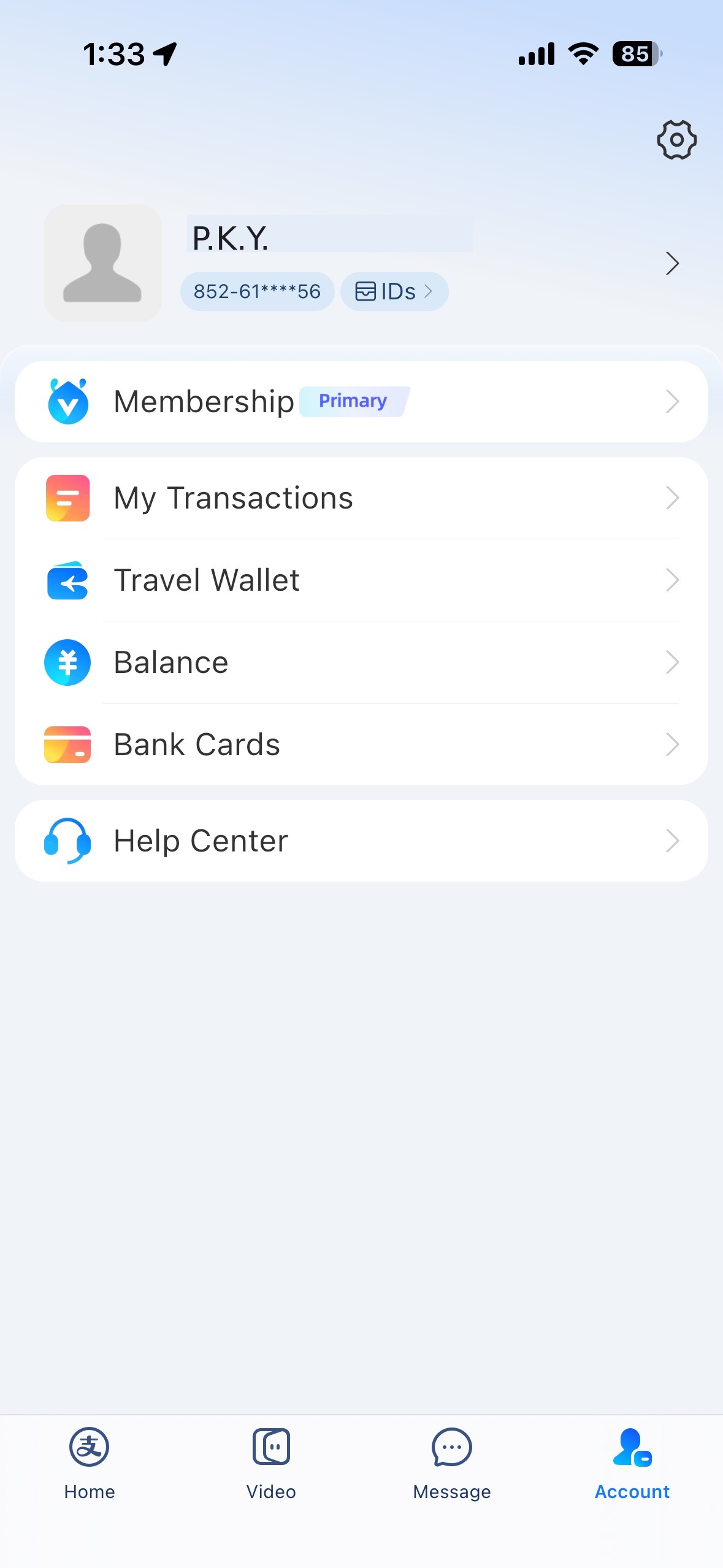
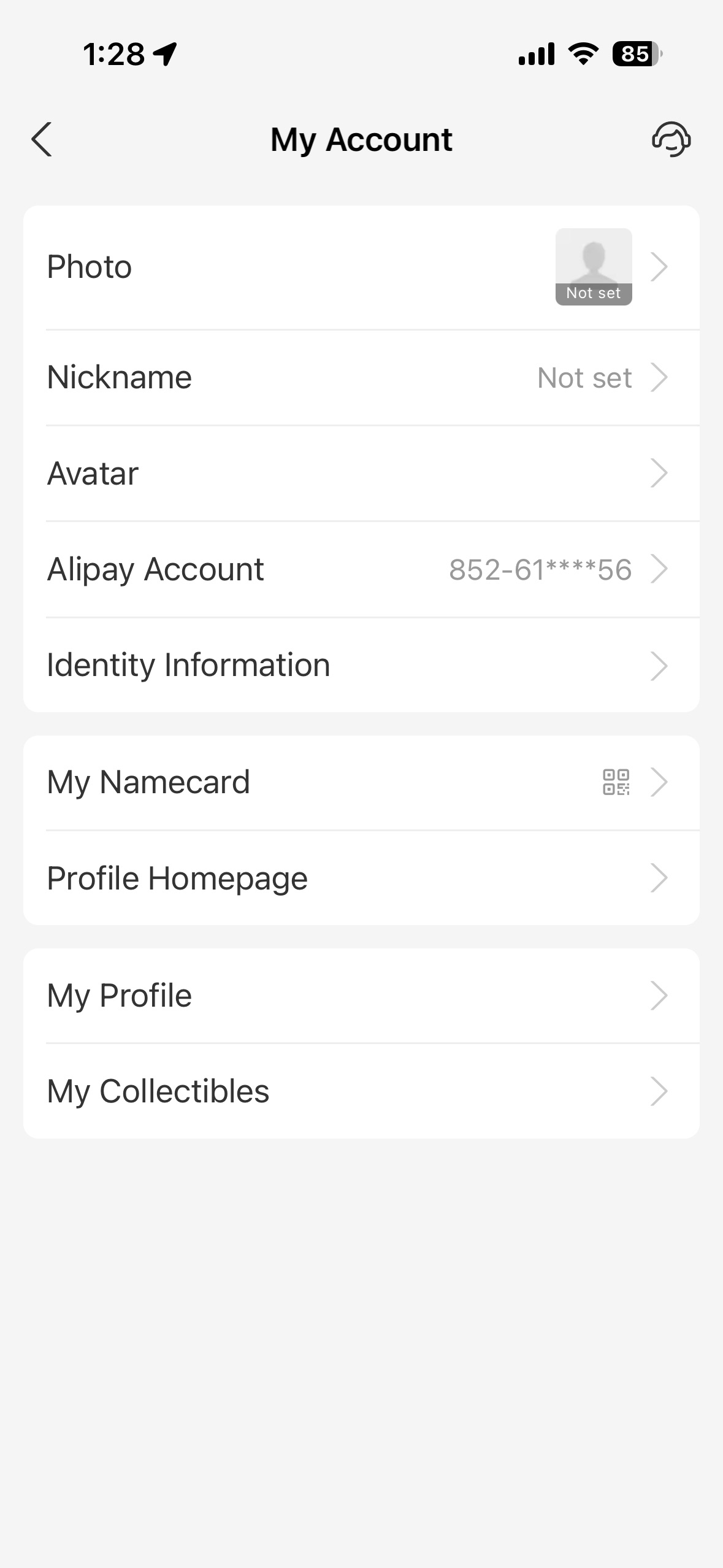
Once logged in, tap Account in the bottom navigation. This home screen is where everything branches from: Bank Cards sits right here as its own row, and tapping the chevron (>) next to your name takes you into more detailed settings, showing Alipay Account and Identity Information as separate rows.
Verify your identity
Passport required, no way around it — expect duplicate fields.
Details
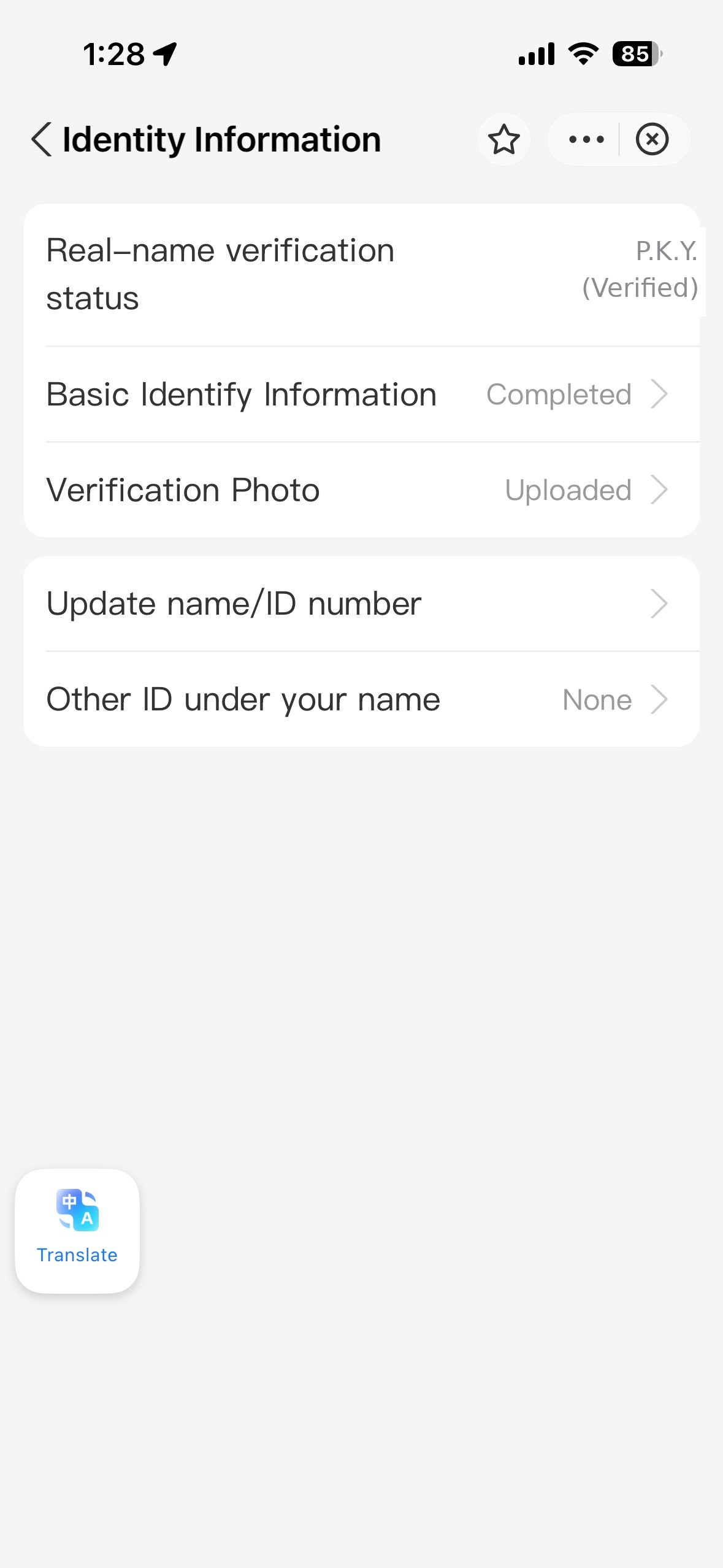
This is the step with no way around it. To use Alipay for payment in China, you must provide passport details and personal information: passport number, full name as printed on your passport, date of birth, and a verification photo.
Expect to enter your details more than once — the identity flow is duplicative, and overlapping information across separate screens is normal, not an error. Push through it.
Why bother if basic payments work without it: unverified accounts are capped at much lower transaction limits. Full verification is what unlocks the limits you'll actually need for hotels, shopping, or anything beyond small street purchases.
Add your card
Visa/Mastercard reliable — Amex often fails here.
Details
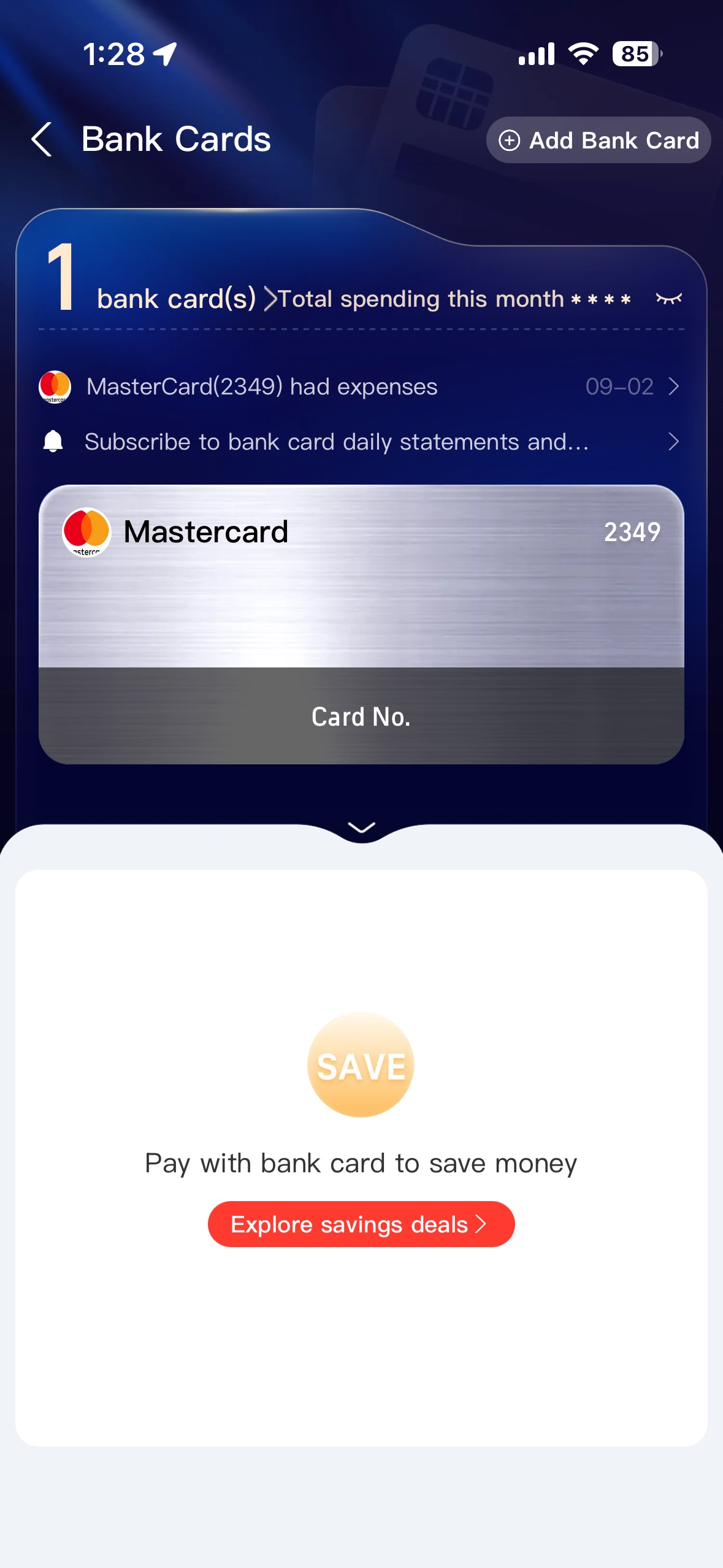
Go to Bank Cards, then Add your card. Visa and Mastercard work reliably. Amex frequently fails at this exact step, not just at checkout — if you only carry Amex, expect to need a backup card or cash. Enter the card number, expiry, and your name exactly as printed on the card.
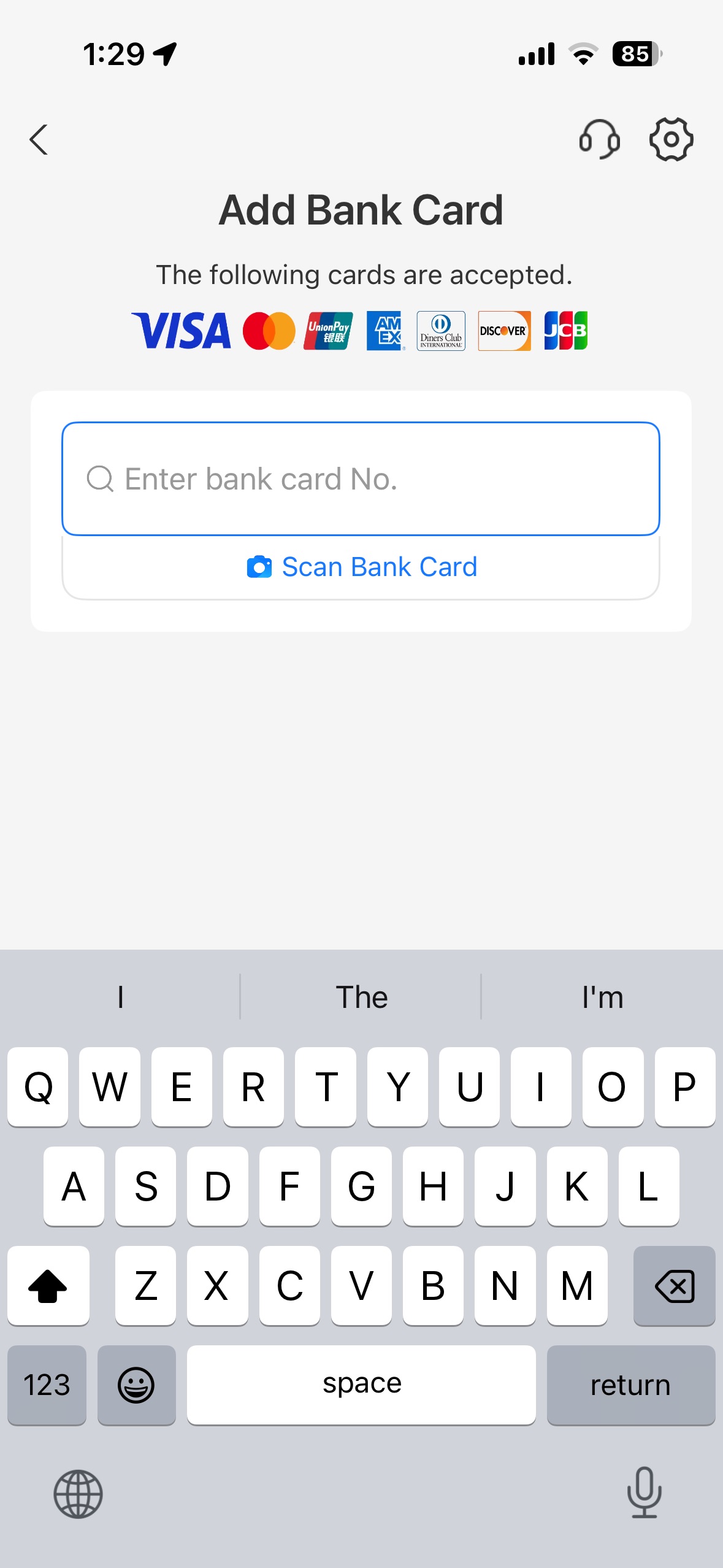
Know the fee structure (a rough guide, not a policy)
Under ¥200 is usually fee-free. Above that, do not trust a fixed percentage — check your own transaction history.
Details
This section is the one most likely to be wrong by the time you read it, and it varies person to person. Fee behavior on foreign-card transactions has changed before, differs by which bank issued your card, and has been reported inconsistently even among people setting up in the same week.
What's commonly reported: transactions of ¥200 or under are usually fee-free; above that, a service charge in the low single digits may apply on foreign cards. Your bank may also apply its own foreign transaction fee on top.
What to actually do: don't budget around a specific percentage. Check your own transaction history in the app after your first few payments — treat that as more reliable than any figure quoted here or elsewhere.
Adding and choosing between multiple cards
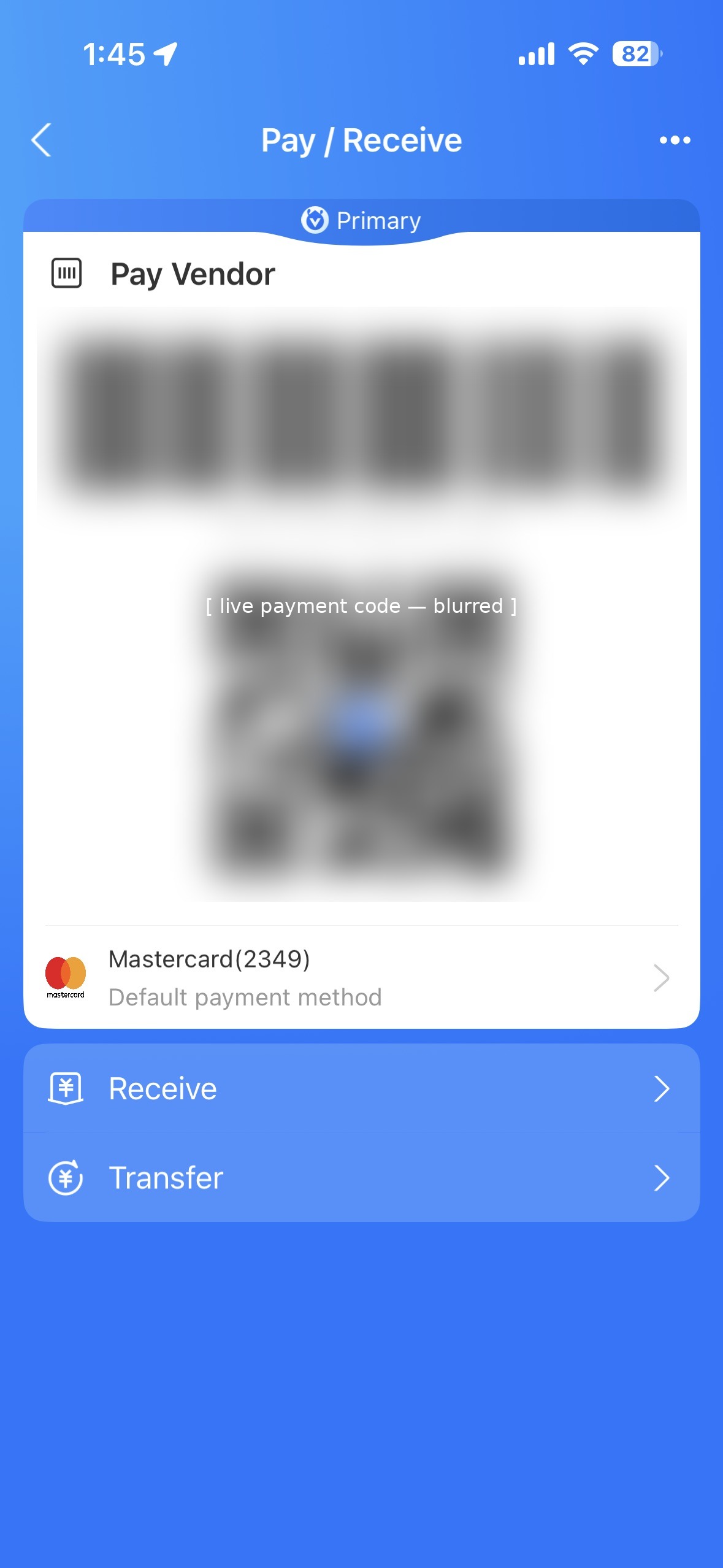
Switch your default card any time under Pay/Receive.
Details
You can add more than one card. Alipay shows your default card under Pay/Receive, with an arrow to change it. Tap the card row to switch which card gets charged before you pay — useful if one card gets declined mid-trip or you want to track spending on a specific card.
Get the app and keep it updated
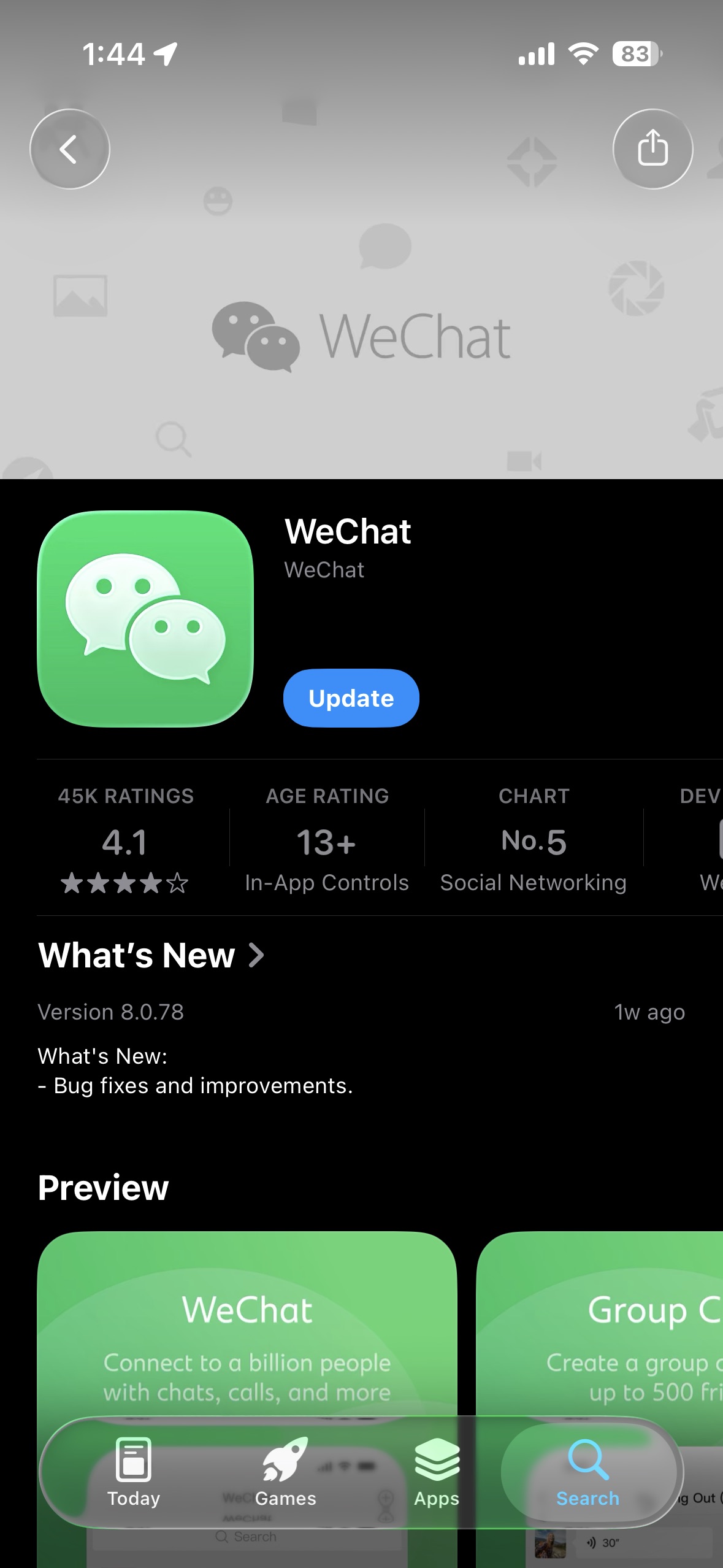
Update WeChat — outdated versions break payment features.
Details
Why you need both, not just Alipay: Alipay is generally the friendlier experience for foreign users, but WeChat is unavoidable for certain things. Many national park and attraction bookings, ticket purchases, and free timed-entry slots run through WeChat mini programs with no Alipay equivalent.
Download WeChat from the App Store if you don't already have it. If you do, check for an update — payment features are more likely to break on outdated versions.
Find Pay and Services
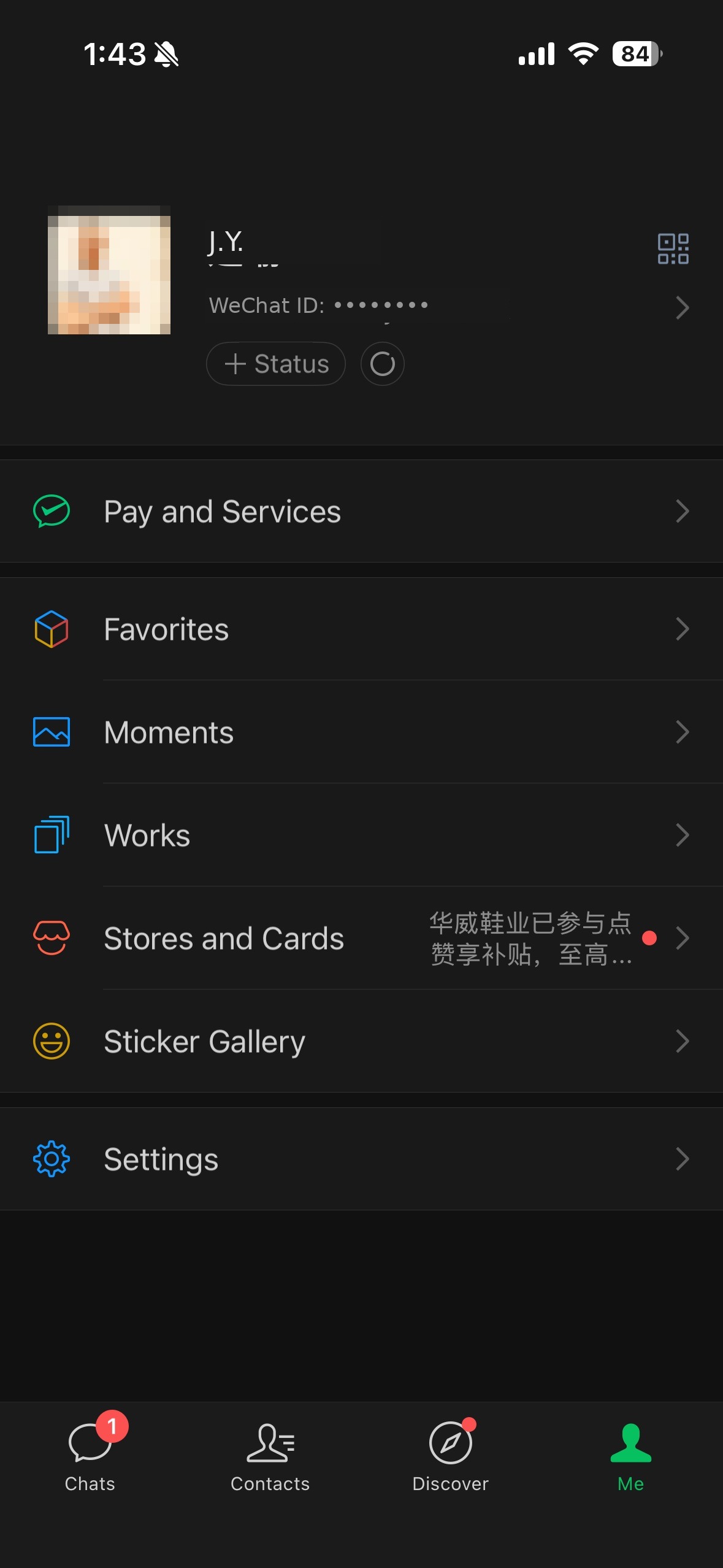
Me tab → Pay and Services.
Details
Open the Me tab and tap Pay and Services — this is WeChat's equivalent of Alipay's account section, everything payment-related lives here.
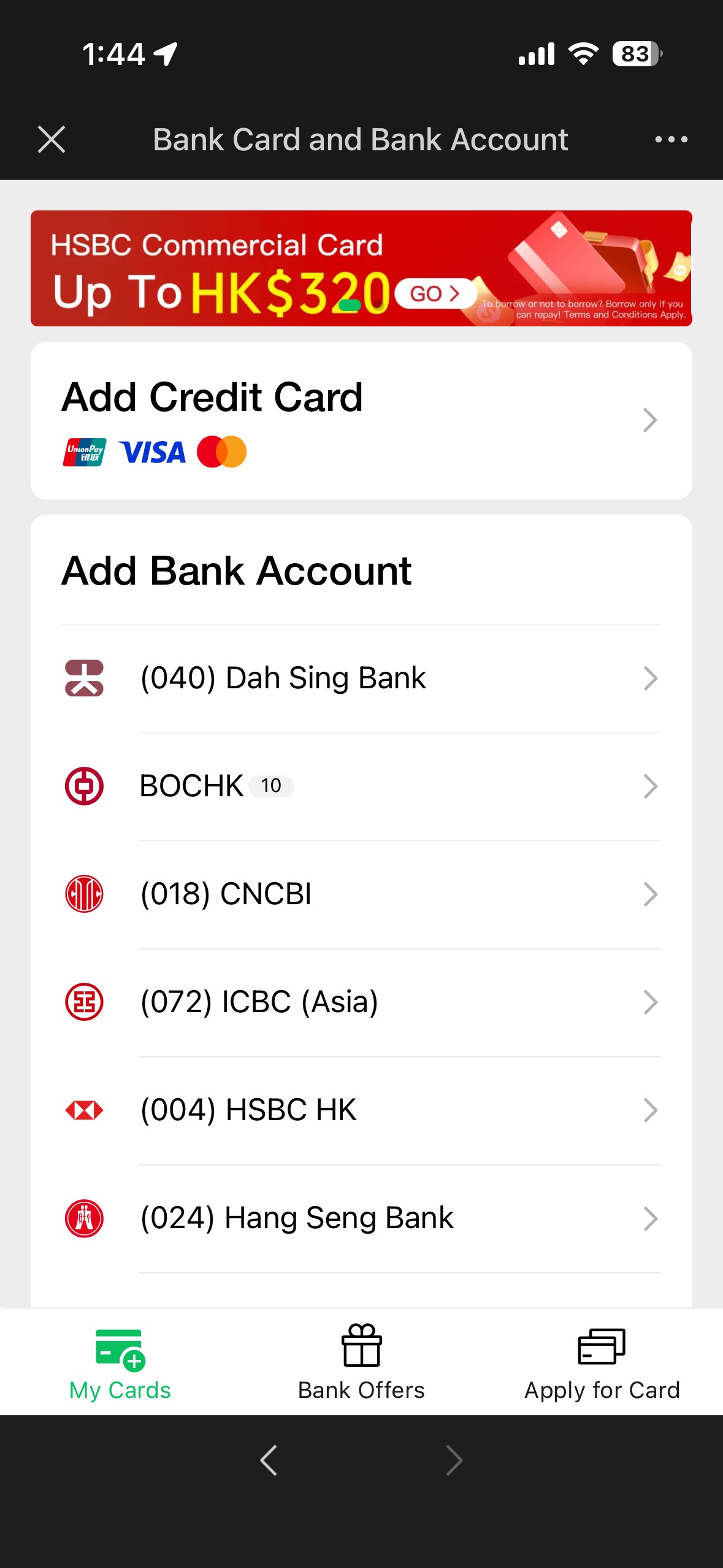
Add a card or bank account
UnionPay, Visa, Mastercard accepted — add more than one.
Details
From Pay and Services, find Bank Card and Bank Account (or equivalent). WeChat accepts UnionPay, Visa, and Mastercard for card binding. As with Alipay, enter the card number, expiry, and cardholder name exactly as printed. You can add more than one card and choose which one to pay from at the point of payment.
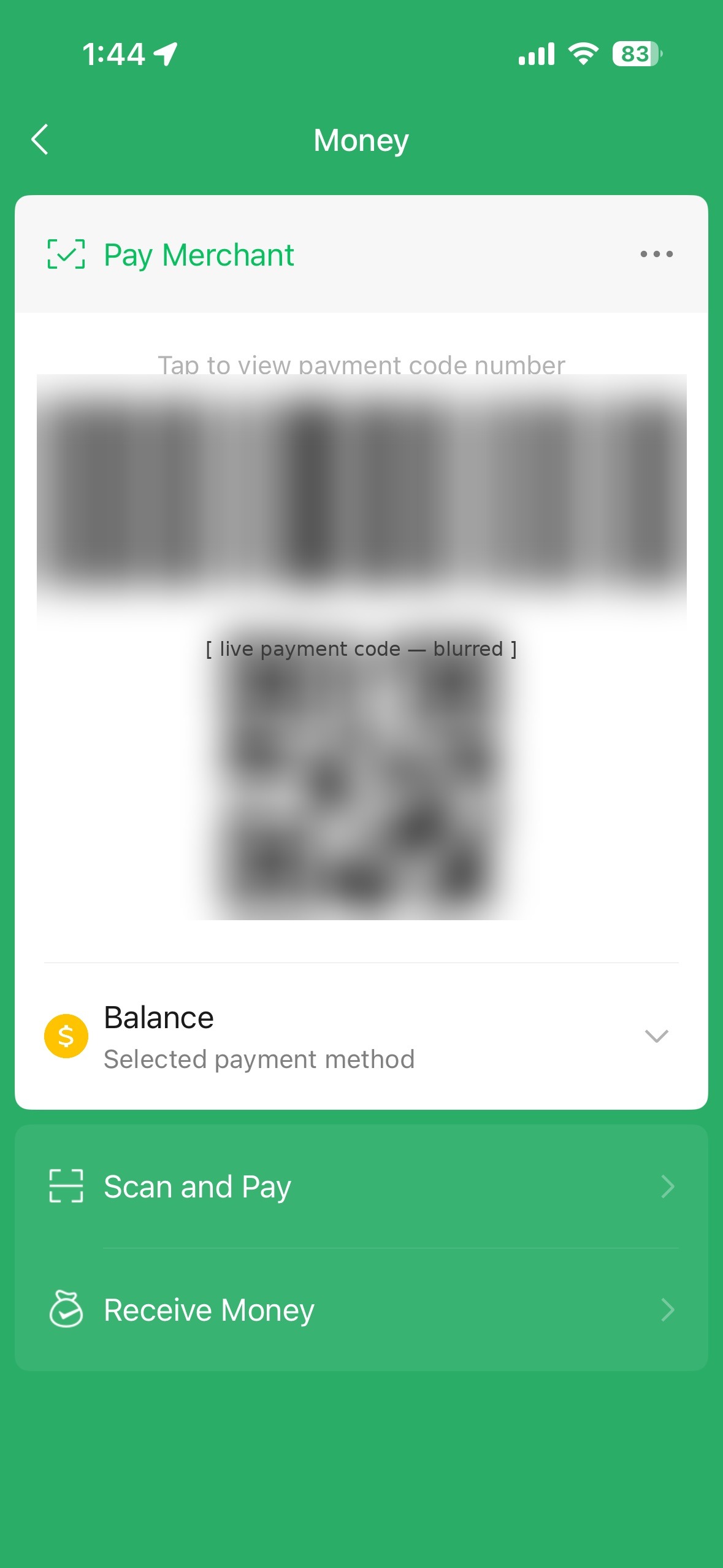
Your payment code
Me → Pay and Services → Money for your QR/barcode.
Details
Once a payment method is linked, go to Me → Pay and Services → Money (or tap the payment code icon directly). This shows your barcode and QR payment code, the one merchants scan when you're at a bigger shop. Balance (your WeChat wallet) and any linked cards both appear as selectable payment sources here.
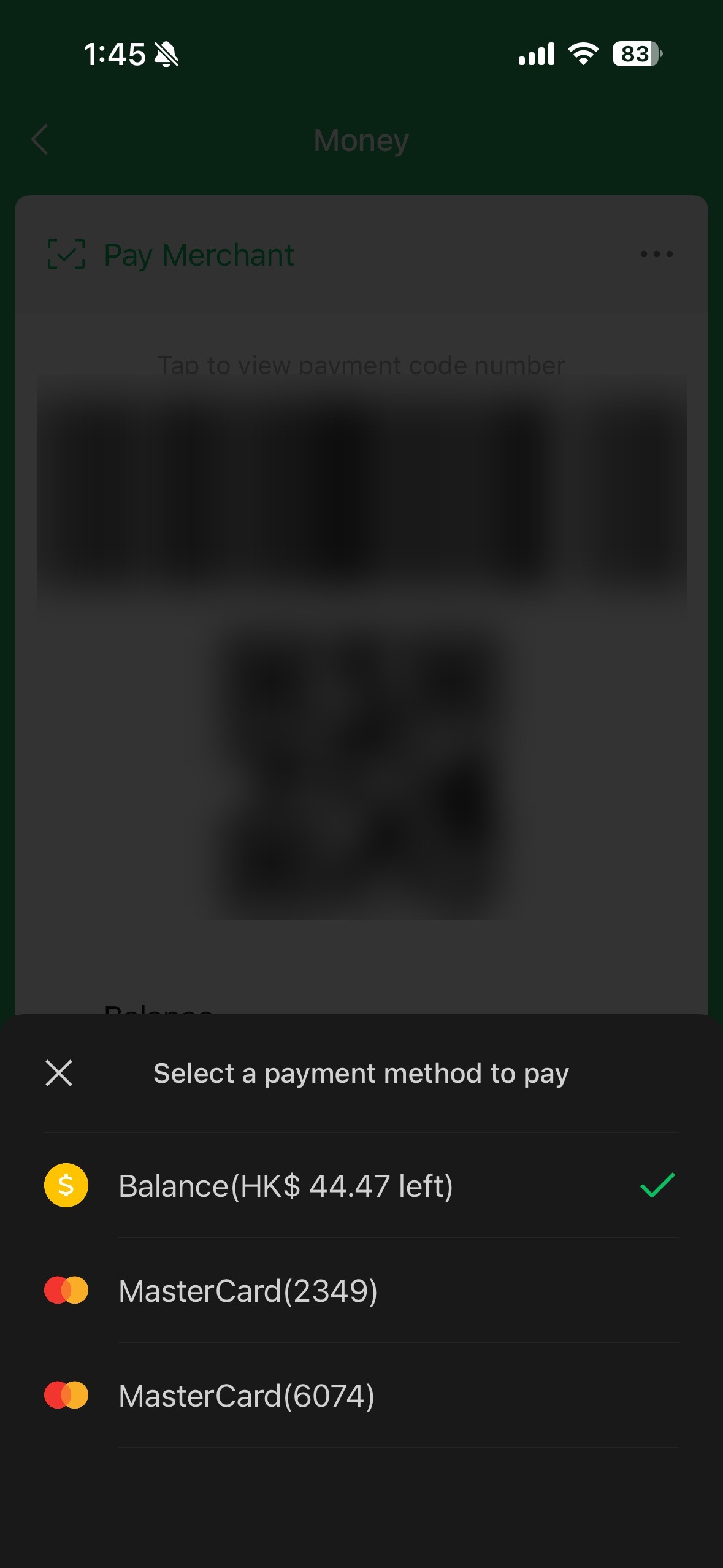
Choosing which payment method to use
Tap the method under your code to switch — Balance or a card, per transaction.
Details
Tap the payment method shown under your code (it may say "Balance" or a card name) to open the full list. Select whichever you want to deduct from before you show your code or scan a merchant's — this changes per transaction, it isn't locked to one card permanently.
A practical reason to keep Balance topped up rather than relying only on cards: some smaller vendors and mini programs behave more reliably against Balance than against a freshly linked foreign card, though this is inconsistent enough that it's not a rule, just worth knowing as a fallback.
Paying at the counter
Big shops scan your code. Small shops show you theirs. A few tiny shops cannot take a linked card: keep wallet balance or cash.
Larger shops will scan your payment code. Smaller shops will give you a card or sticker to scan with your own app.
Some very small corner shops and market stalls are not registered as businesses that can take a linked card. With those, the payment cannot be taken from your connected card, so you must have a balance in the wallet first (transfer from your bank, or top up with credit), or pay in cash. This is uncommon, but it happens.
Carry a small cash reserve for small shops.
The national park and attraction booking reality
National park bookings run through WeChat mini programs — usually no Alipay option.
This is the specific reason WeChat can't be skipped even if you prefer Alipay day to day. Many attractions, particularly national parks, run their ticketing and timed-entry booking through a WeChat mini program specific to that venue, not a general booking site and not through Alipay. Even free entry often requires booking a time slot through the venue's mini program.
Quick reference
| Choosing which Alipay app | Alipay (blue icon), not Alipay HK |
| Phone number | Your real number, must receive SMS, bound permanently to the account |
| Identity verification | Passport required, no way around it, expect repeated fields |
| Amex declined during setup | Switch to Visa or Mastercard |
| Which app is friendlier for foreigners | Alipay, generally, but you need both |
| Booking national park tickets or free slots | WeChat mini program specific to that venue, usually no Alipay option |
| Multiple cards added | Both apps let you pick which one to charge at time of payment, not locked to one default |
| Transaction fees | Vary by card and change over time, check your own transaction history rather than trusting a fixed number |
| Shop won't take my linked card | Top up WeChat Balance beforehand, or pay cash |
Common questions
Can tourists use Alipay and WeChat Pay with a foreign card?
Yes. Neither needs a Chinese bank account or SIM, but both need setup before you fly. Visa and Mastercard work reliably. WeChat also accepts UnionPay.
Do I need a Chinese bank account or phone number?
No Chinese bank account or SIM is needed. You do need a real phone number that can receive SMS codes, because both apps bind to it.
Does Alipay work with American Express?
Amex often fails at the card-binding step. Carry a Visa or Mastercard as backup.
Are there fees on foreign cards?
Payments of 200 yuan or less are usually reported as fee-free. Above that, a small service charge may apply, and your bank may add its own foreign transaction fee. Fees vary by card and change over time, so check your own transaction history.
Should I download Alipay or Alipay HK?
Download Alipay (blue icon), not Alipay HK.
Do I still need WeChat Pay if I have Alipay?
Yes. Many national park and attraction bookings run through WeChat mini programs with no Alipay option.
What if a small shop will not take my linked card?
Some very small corner shops and market stalls cannot take a linked card. Keep a balance in your wallet (transfer from your bank, or top up with credit), or pay in cash. It is uncommon, but it happens.
Related guides
- NextTaking the High-Speed Train (HSR)China's high-speed rail is fast and punctual. What catches foreigners out is the station process: two security checks, passport-based ticketing, and boarding that can close before the printed departure time.
- NextSetting Up the Metro QR CodeChinese metro systems run on QR codes, not tickets or cards. Activate a transit QR inside WeChat, then hold your phone to the gantry scanner to enter and exit — fares charge automatically.
- NextStaying connected: eSIM first, VPN as backupGoogle, WhatsApp, Instagram and YouTube are blocked in China. A travel eSIM on your phone is the sure bet and needs no VPN. Add a VPN for your laptop as backup, and set both up before you leave home.
Get the Dao companion when it launches in Shenzhen
Send this guide to your travel partner
Apps, fees and station rules change. These guides reflect our testing on the date shown.
← Back to Guides